
Select the *FTP module by entering option number 8 into the corresponding choice box. In the dialog program "Change i-effect Module Data", parameters can now be modified.
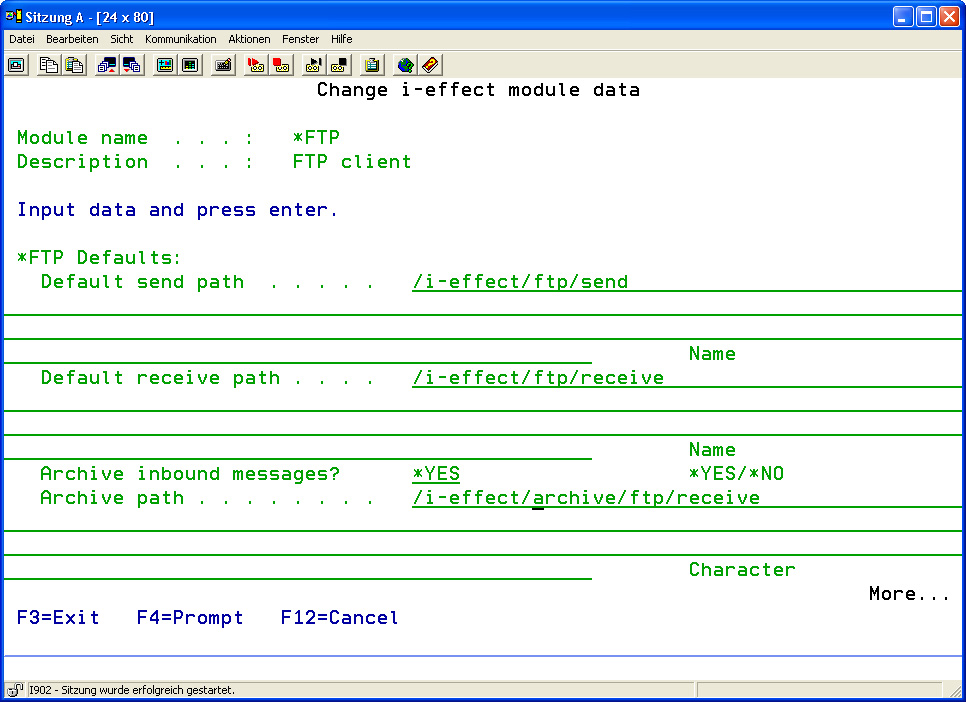
The following options for the *FTP module can be set:
|
*FTP Details: |
||||||
|
Default Send Path |
Enter the default path for outbound FTP files. |
|
||||
|
Default Receive Path |
Enter the default path for inbound FTP files. |
|
||||
|
Archive Inbound Messages? |
Determine if inbound FTP files will be archived. |
|
||||
|
Archive Path |
Enter the archive path where inbound FTP files are to be archived. |
|
||||
|
Archive Outbound Messages? |
Determine if outbound FTP files will be archived. |
|
||||
|
Archive Path |
Enter the archive path where outbound FTP files will to be archived. |
|
||||