
The SNDFILE command sends any file(s) via predefined partner and communication profiles. Licenses for the i-effect *BASE module and all participating i-effect communications or conversion (if conversion is required before transmission) modules are required.
When SNDFILE is used for transmission the partner and the communications channel are supplied by the recipient GLN in the outbound EDIFACT file. The program will only search for one partner with this exact GLN in the i-effect partner master data, and this partner's primary communications profile will be supplied. For this to function properly, the partner must already exist in the i-effect partner master data (menu 50) with this EXACT GLN as an alias. This partner must also have a primary communications profile. This communications profile will be used for SNDFILE for transmission of the EDFICAT file.
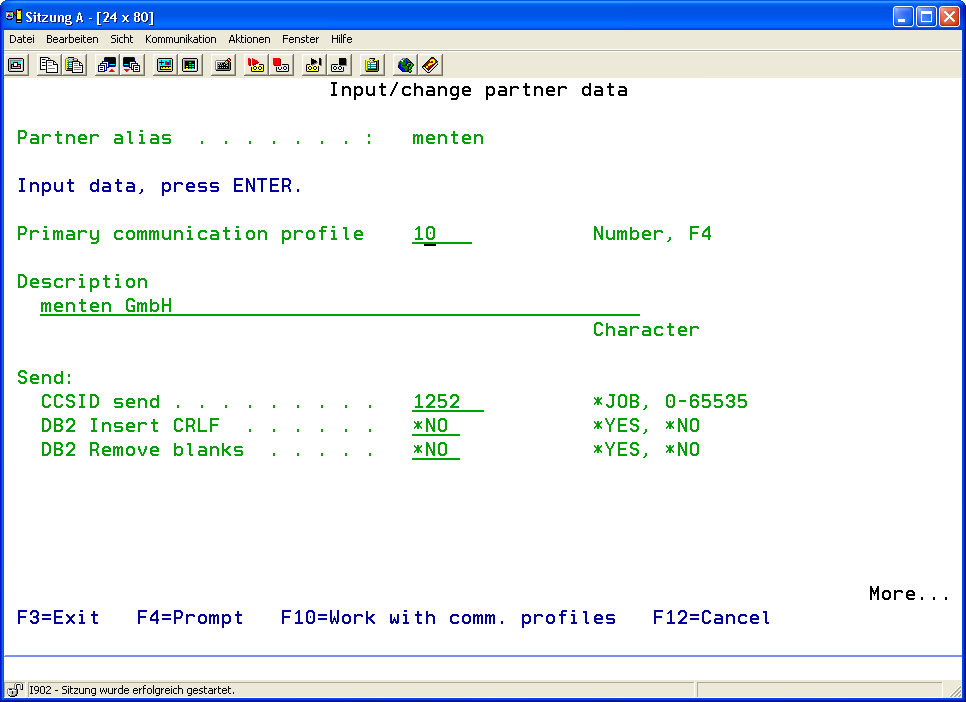
Chapter 9 "Master Data in i-effect" contains more information about adding partners and communications profiles.
-
Select menu item 5 "Send EDI Data" from the menu "i-effect Communications Tasks" or enter the command SNDFILE and F4.
-
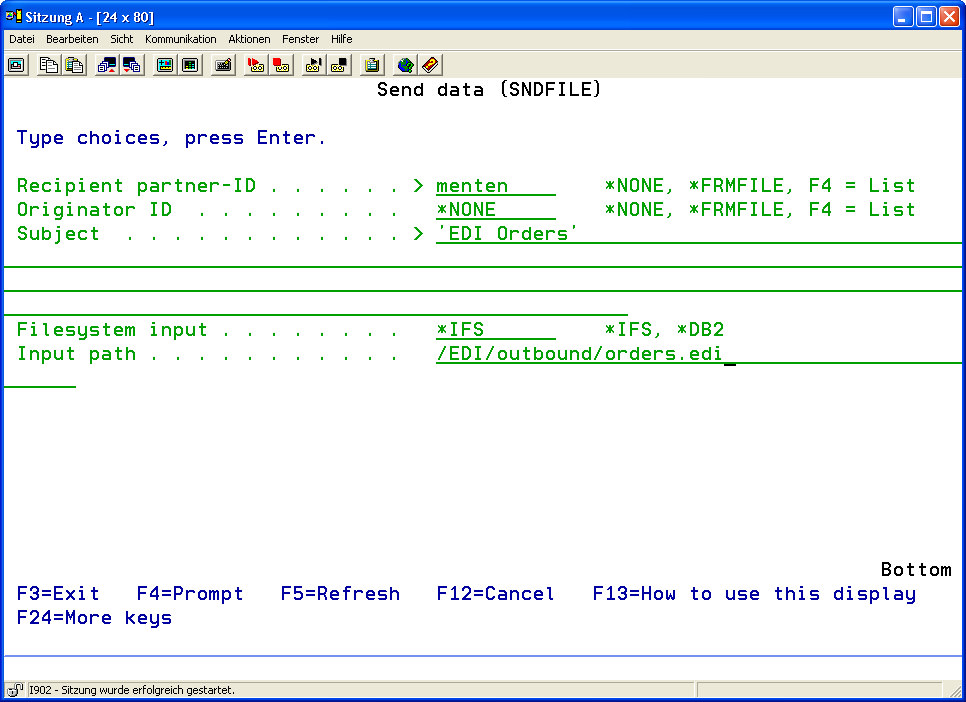
Enter the desired parameter according to the following parameter explanations.

|
Recipient Partner ID (PARTNER) |
Here it is possible to refer to a partner profile from the partner master data (see menu item 50). Definitions made there must not be re-entered here or after.
|
||||||
|
Originator ID (ORIGINATOR) |
Here it is possilbe to refer to an originator profile in the master data from menu item 51. |
||||||
|
Subject (SUBJECT) |
Text entered here will be sent as the message's subject. |
||||||
|
File System Input (FS) |
Enter the file system of the input file.
|
||||||
|
From File (FRMFILE) |
The input file to be transmitted, is entered here.
|
||||||
|
The parameter consists of 2 elements: |
|
||||||
|
Input Path (FRMPATH) |
Enter the path for the IFS input file. |