
Select the *FLATFILE module by entering option number 8 into the corresponding choice box. In the dialog program "Change i-effect Module Data", parameters can now be modified.
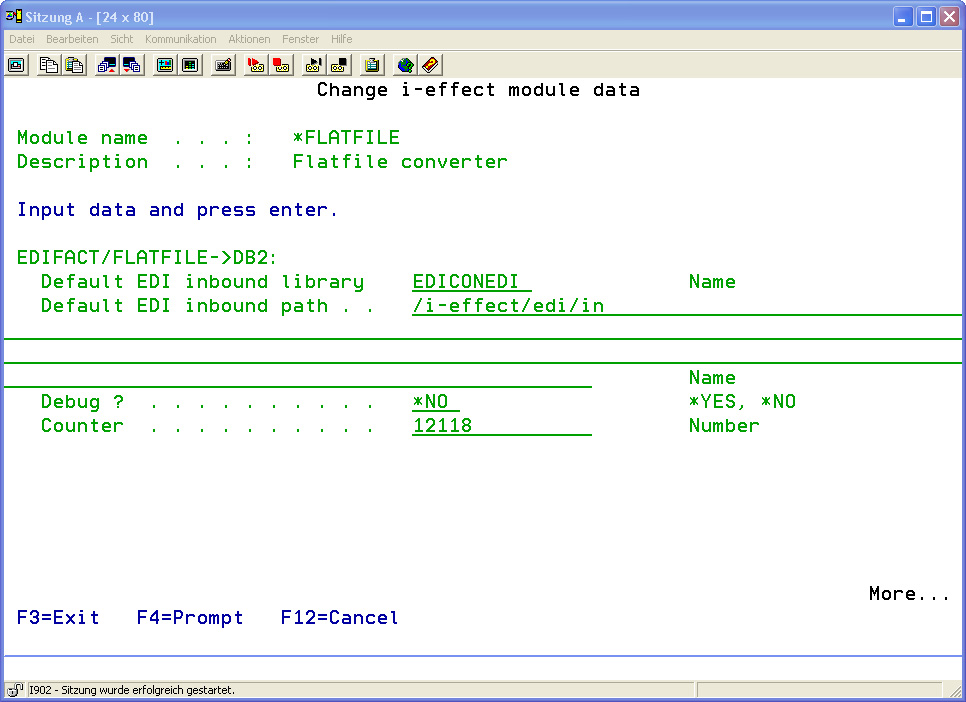
The following options for the *FLATFILE module can be set
|
EDIFACT/FLATFILE->DB2: |
|
|---|---|
|
Default EDI Inbound Library |
See: "Additional Parameters of the *EDIFACT Module" |
|
Default EDI Inbound Path |
See: "Additional Parameters of the *EDIFACT Module" |
|
Debug ? |
See: "Additional Parameters of the *EDIFACT Module" |
|
Counter |
See: "Additional Parameters of the *EDIFACT Module" |
|
DB2 -> EDIFACT/FLATFILE: |
|
|
Default EDI Outbound Library |
See: "Additional Parameters of the *EDIFACT Module" |
|
Next Number |
See: "Additional Parameters of the *EDIFACT Module" |
|
File Prefix |
See: "Additional Parameters of the *EDIFACT Module" |
|
Default EDI Outbound Path |
See: "Additional Parameters of the *EDIFACT Module" |
|
Debug ? |
See: "Additional Parameters of the *EDIFACT Module" |