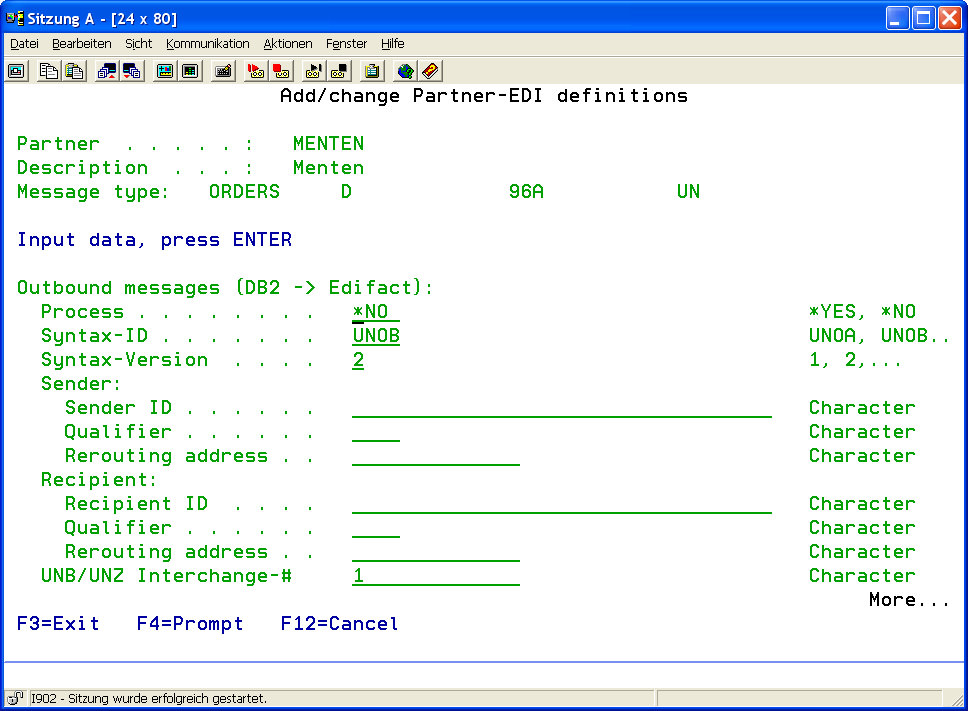
Partner master data for inbound EDIFACT messages can be defined here.
|
Process |
Determines if EDIFACT files for the displayed message type and partner are to be converted. |
|
|
*YES |
EDIFACT files are processed. |
|
|
*NO |
EDIFACT files are not processed. |
|
|
Interchange # - the next expected interchange number |
If the option "Check Interchange" is activated for checking the sequence number in the UNB segment, the next file to be processed for this partner with this message type MUST have the sequence number defined here. If not, conversion will be canceled. For every successful conversion, i-effect® automatically adds 1 to this number. |
|
Check Interchange |
Switches the checking of the UNB sequence number on of off. |
|
|
*YES |
The interchange number is checked. Conversion will be canceled if the number of the previous field does not match the sequence number. |
|
|
*NO |
The interchange number is not checked |
|
|
Reference / Password |
If a value is entered into this field, the corresponding field in the UNB segment of the EDIFCAT file to be processed (service segment, header) is checked. Processing is con-tinued only if these values match. |
||||
|
Application Reference |
If a value is entered into this field, the corresponding field in the UNB segment of the EDIFCAT file to be processed is checked. Processing is continued only if these values match. |
||||
|
Communication Agreement |
If a value is entered into this field, the corresponding field in the UNB segment of the EDIFCAT file to be processed is checked. Processing is continued only if these values match. |
||||
|
Test |
If a value is entered into this field, the corresponding field in the UNB segment of the EDIFCAT file to be processed is checked. Processing is continued only if these values match. |
||||
|
Table |
The name of the i-effect conversion table that is to be used for this conversion. The table must describe the conversion of the defined message type. Use function key F4 to display a list containing all loaded mapping tables. |
||||
|
LOG Missing Mappings |
If desired, all EDIFCAT data elements, for which no assignment to a DB2 field is defined, are logged in the logbook. Missing mappings can be easily found in a test run.
|