
To add addresses to an entry, select menu item 50. Then, enter option number 10 "Additional Addresses" into the corresponding choice box.
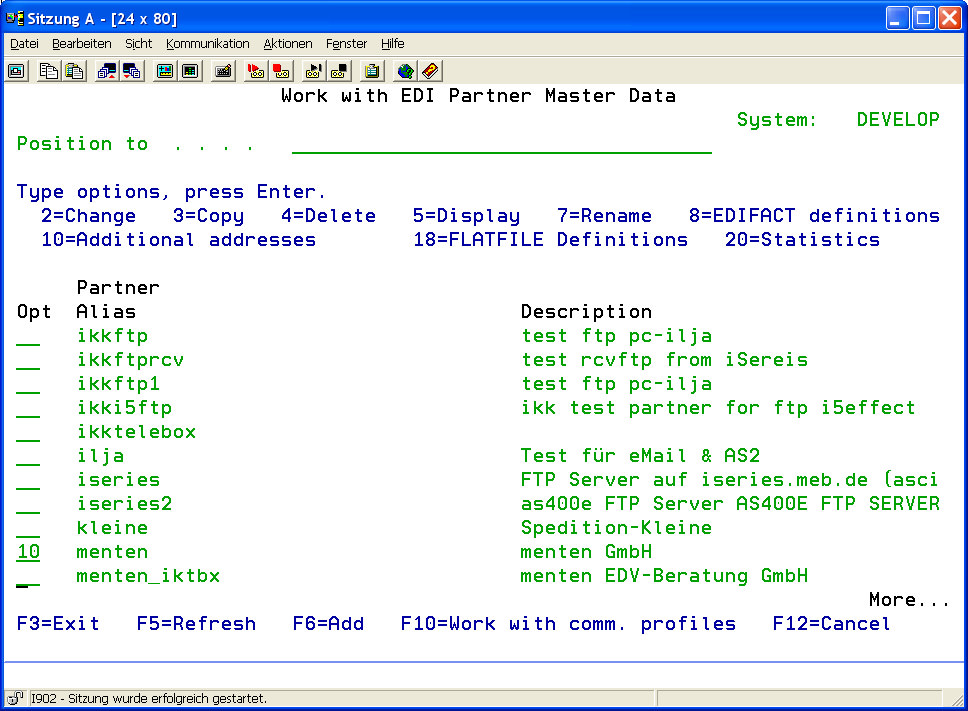
The following display will appear:
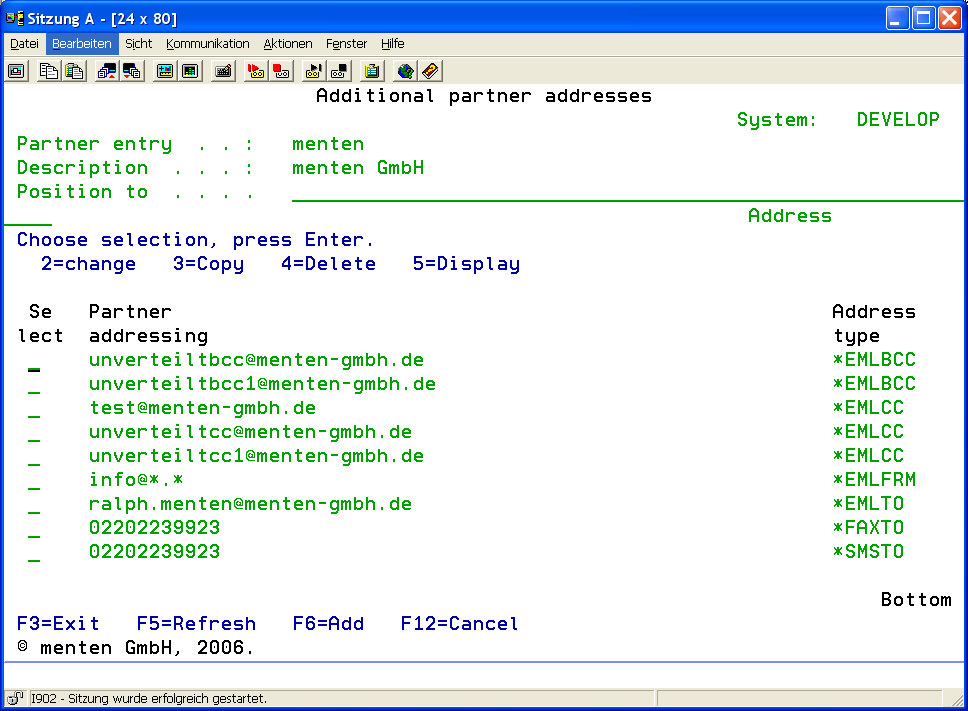
The following overview describes the available options of the program interface.
|
Add (option F6) |
To add a new address, use option F6 (function key 6). In the appearing program interface, choose an address name and define the type of address. |
|
Change (option 2) |
To change an address, use option 2 in the corresponding choice box. |
|
Copy (option 3) |
To copy an existing address to a new entry, use option 3 in the corresponding choice box. |
|
Delete (option 4) |
To delete an address, use option 4 in the corresponding choice box. |
|
Display (option 5) |
To display an address, use option 5 in the corresponding choice box. |
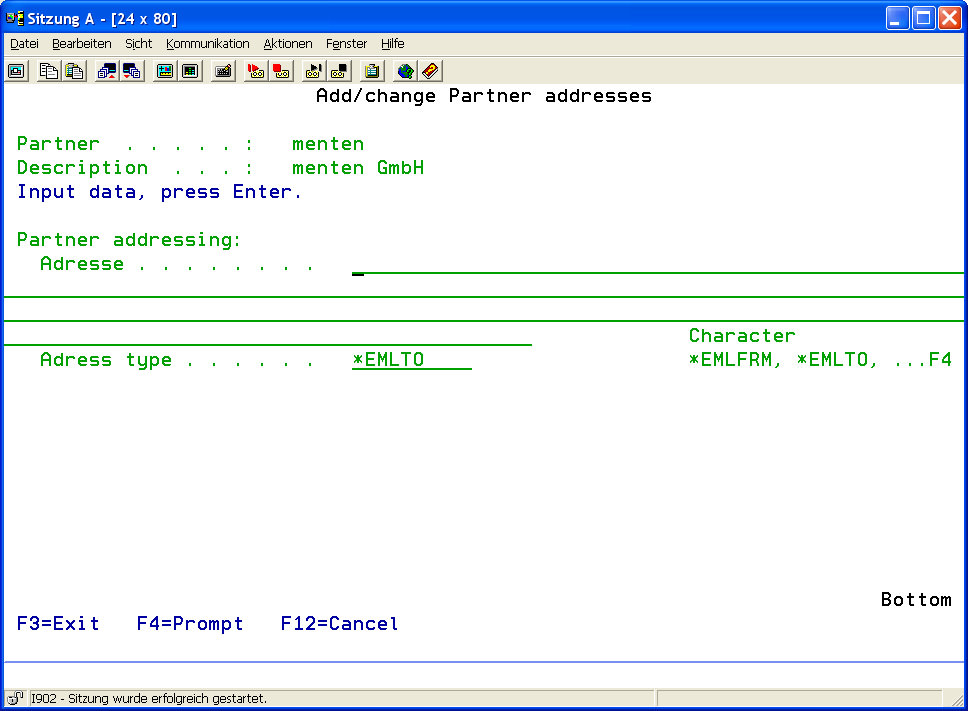
Press F6 to enter a new address.
The following display will appear:
|
Address |
Enter the additional address that is to be used for the selected partner. This must be a valid email address, fax number or mobile phone number, depending on the desired use. |
|
|
Address Type |
Enter the type of the entered address.
Possible values are: |
|
|
*EMLFRM |
The entered address is treated as email sender address. |
|
|
*EMLTO |
The entered address is treated as email addressee. |
|
|
*EMLCC |
The entered address is treated as CC email address. |
|
|
*EMLBCC |
The entered address is treated as BCC email address. |
|
|
*FAXTO |
The entered address is treated as fax addressee number. |
|
|
*SMSTO |
The entered address is treated as SMS addressee number. |
|
Using address type *EMLFRM, wild cards can be added to the address name. Valid are " * " and " ? ". By this, when receiving emails all emails coming from the USA for example will be assigned to a standard partner and will be filed accordingly.
|
Examples: |
|
|
*@*.com |
for every email coming from the USA |
|
*@myCompany.* |
for every email coming from myCompany |
|
marketing@*.de / sales@*.de |
for all emails coming from Germany having the sender "marketing" / "sales" |