
Use optionF8to filter the displayed information by means of numerous selection criteria.
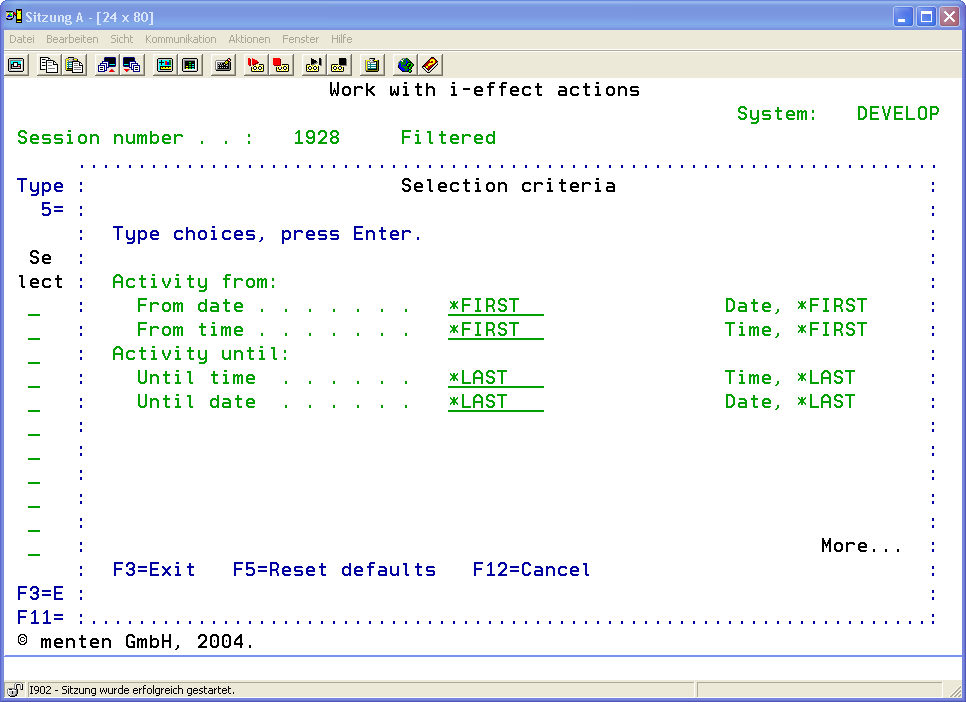
The following selection criteria are available:
|
Session |
From Number Enter a value in this field to filter the information in the list according to session number.
|
||||||
|
*FIRST |
Display from the beginning of the logbook (most current entry) |
||||||
|
To Number Enter a value in this field to filter the information in the list according to session number.
|
|||||||
|
*LAST |
Display to the end of the logbook (last entry) |
||||||
|
Session Start Begin |
From Date Enter a value in this field to filter the information in the list according to session starting date.
|
||||||
|
*FIRST |
Display from the date of the first action. |
||||||
|
From Time Enter a value in this field to filter the information in the list according to session starting time.
|
|||||||
|
*FIRST |
Display from the starting time of the first action. |
||||||
|
Session Start End |
To Date Enter a value in this field to filter the information in the list according to session starting date.
|
||||||
|
*LAST |
Display to the date of the last action. |
||||||
|
To TimeEnter a value in this field to filter the information in the list according to session starting time.
|
|||||||
|
*LAST |
Display to the ending time of the last action. |
||||||
|
|||||||
|
Other |
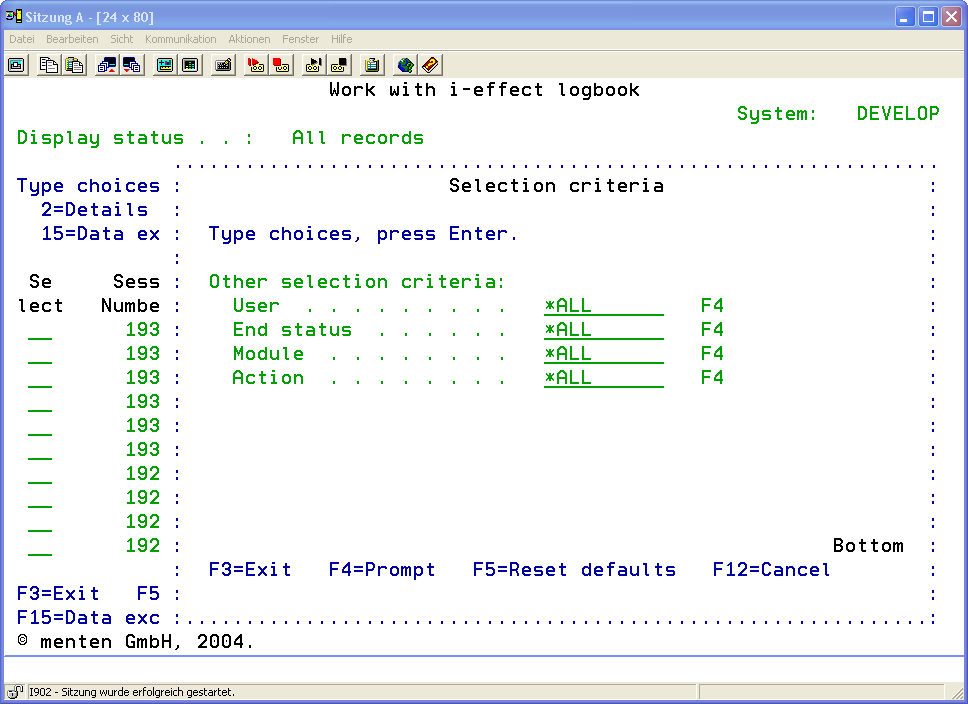
User Enter a value in this field to filter the information in the list according to username. Press F4 to display a list of all available usernames. |
||||||
|
Final Status Enter a value in this field to filter the information in the list according to final status.
|
|||||||
|
ModuleEnter a value in this field to filter the information in the list according to modules. Press F4 to display a list of all available modules. |
|||||||