
Choose the processing type *COMPRESS from the display "Add Server Entry to the Processing Table".
The following display will appear:
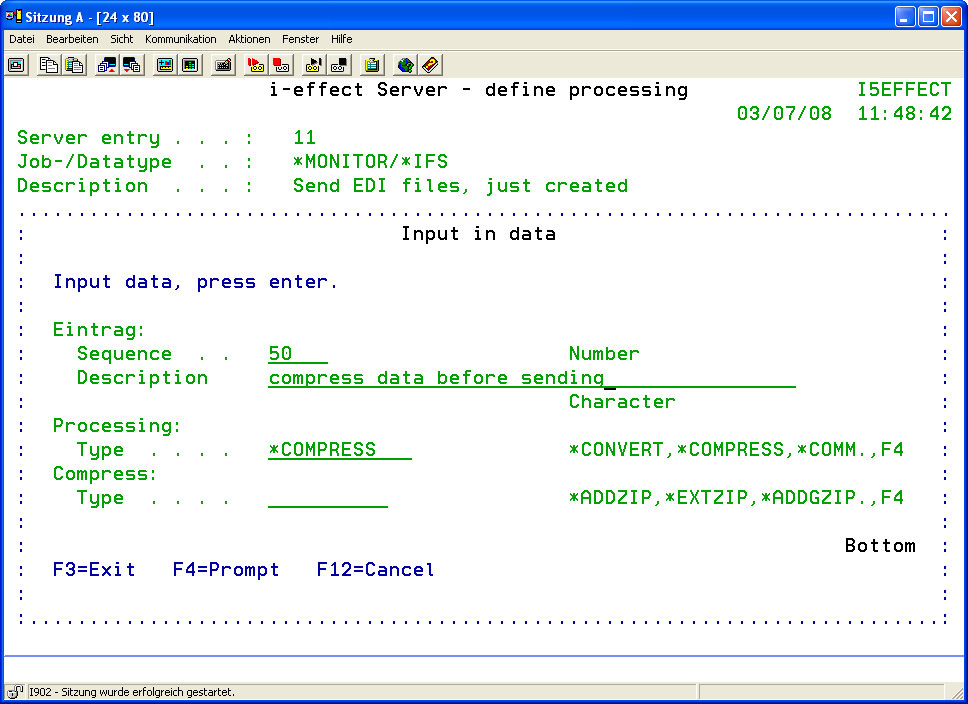
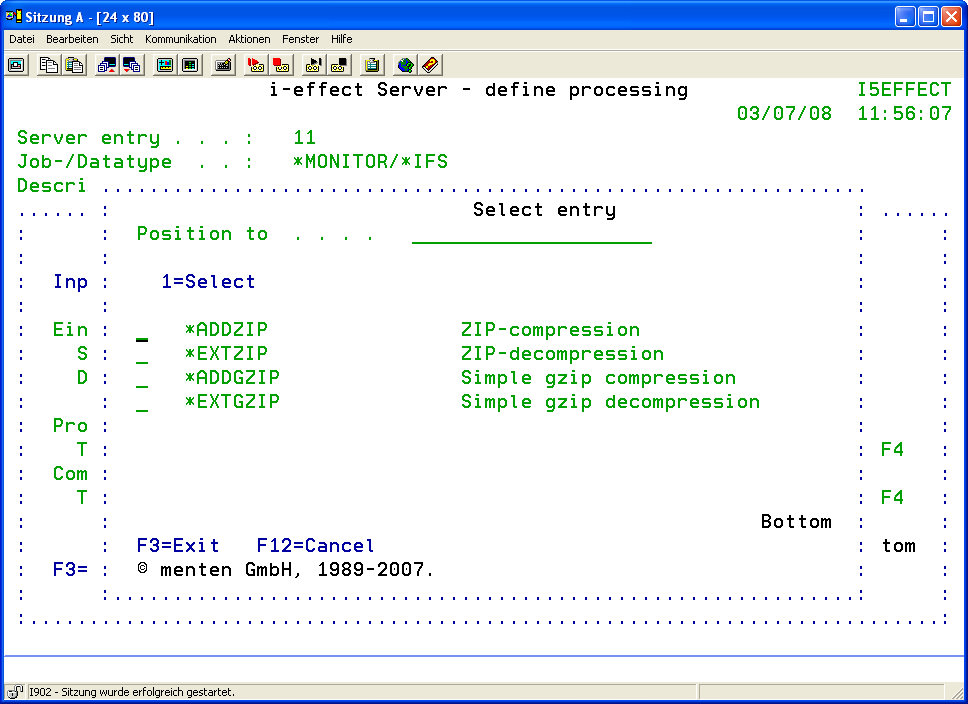
Press function key F4 to determine the type of compression:
|
Compression Type |
Determine the type of compression/decompression to process the source data. A list of the different compression types can be displayed by pressing function key F4. Choose one of the following compression types: |
|
*ADDZIP |
Choose this option to start ZIP compression. |
|
*EXTZIP |
Choose this option to start ZIP decompression. |
|
*ADDGZIP |
Choose this option to start simple gzip compression. |
|
*EXTGZIP |
Choose this option to start simple gzip decompression. |
The parameters of the specific commands conform to the server module.
For example, the parameters for choosing source files are not available here because these were already defined in the server's data selection table.
For a description of the parameters see Chapter 5 "Compression."
|
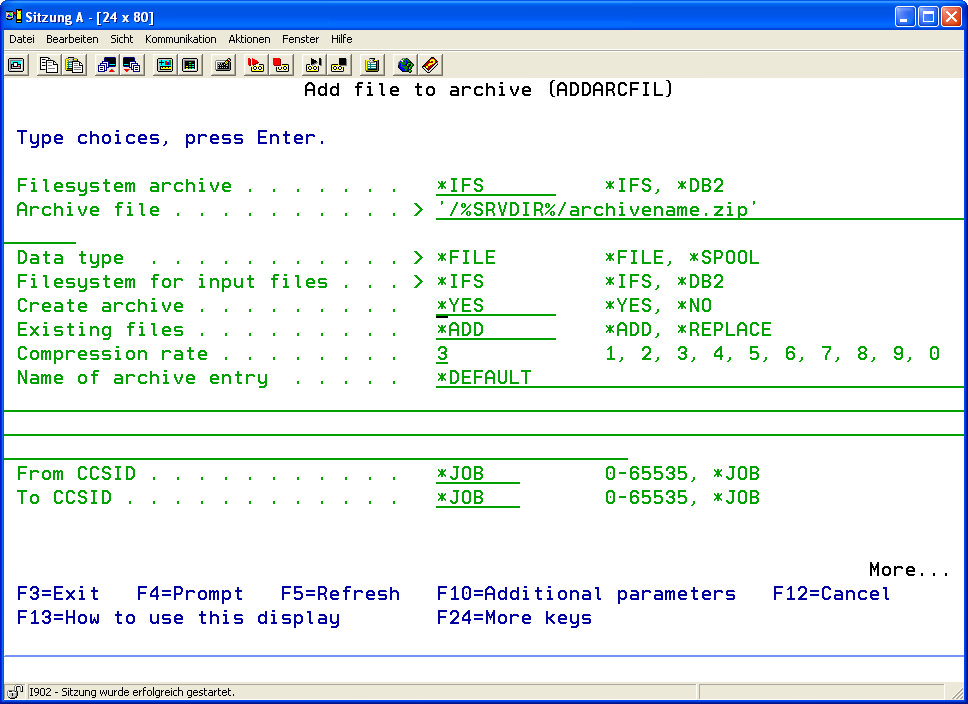
Example: Compression Type *ADDZIP |
The compression parameters for the procession of the desired files can be defined here. For a parameter description see Chapter 5 "Compression," menu item 3 (ADDARCFIL) |
|
|
|
Use of the %SRVDIR% Variable |
*SERVER's working directory %SRVDIR% is provided at the start of a server job to allow post-processing of data that has been created in the processing steps before. Files which are stored here can be used as source files for further server processing steps, e.g. for distribution. The directory is specified in the default settings of the *SERVER module under menu item 80 of the i-effect start menu. |