
Choose the processing type *COMMUNICATE from the display "Add Server Entry to the Processing Table".
Press the enter and the following display will appear:
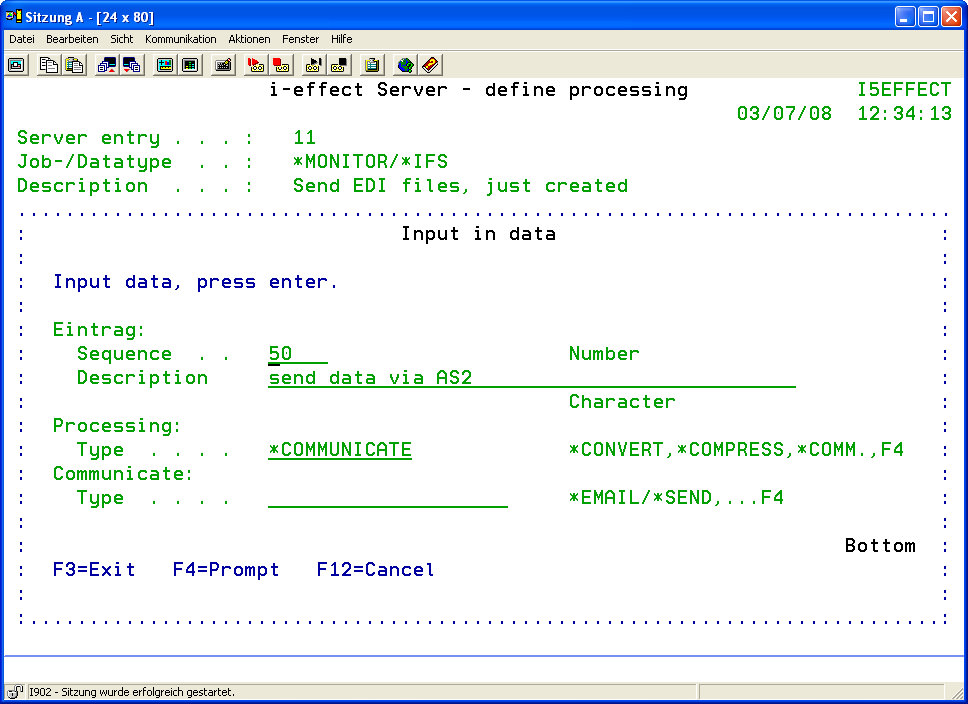
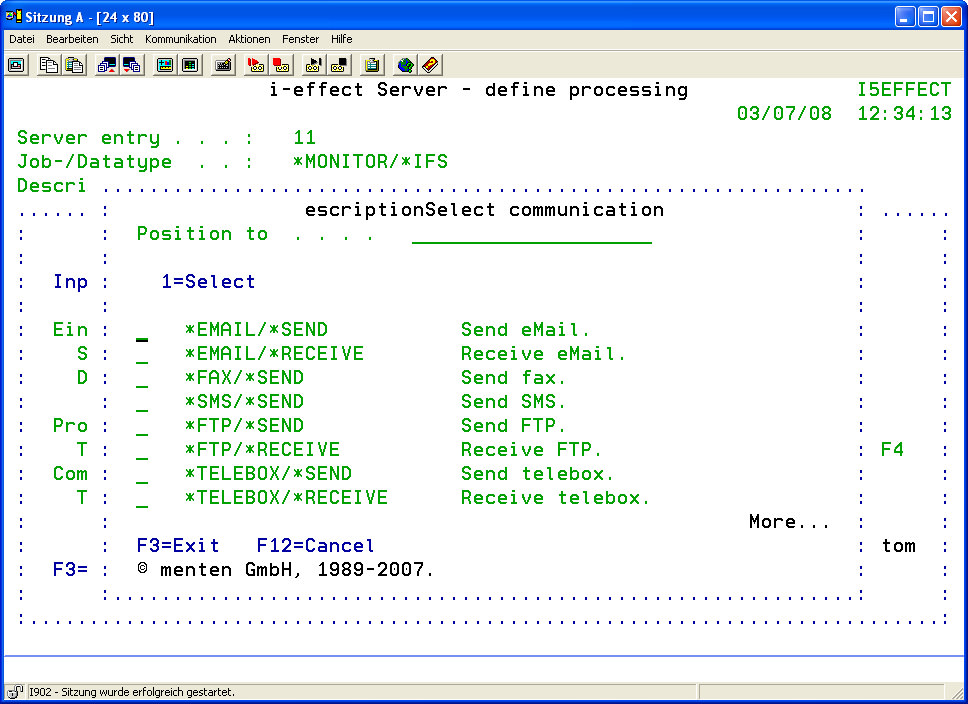
Press function key F4 to determine the communication type:
|
Communication |
A list of the different communication types can be displayed by pressing function key F4. Choose one of the following communication types: |
|
*EMAIL/*SEND |
Use this option to send the data via email. |
|
*EMAIL/*RECEIVE |
Use this option to receive the data via email. |
|
*FAX/SEND |
Use this option to send PDF files via eFax. |
|
*SMS/*SEND |
Use this option to send text via eSMS. |
|
*FTP/*SEND |
Use this option to send data via FTP. |
|
*FTP/*RECEIVE |
Use this option to receive data via FTP. |
|
*TELEBOX/*SEND |
Use this option to send data via Telebox. |
|
TELEBOX/*RECEIVE |
Use this option to receive data vie Telebox. |
|
*OFTP/*SEND |
Use this option to send data via OFTP. |
|
*OFTP/*RECEIVE |
Use this option to receive data via OFTP. |
|
*AS2/SEND |
Use this option to send data via AS2. |
|
*HTTP/*SEND |
Use this option to send data via HTTP or HTTPS (Hypertext Transfer Protocol secure). |
|
*BASE/*SNDBACK |
Use this option to send back files that were received, in case they were not received correctly. |
|
*BASE/*SNDFILE |
Use this option to send the desired files via a predefined partner and communications profile. |
|
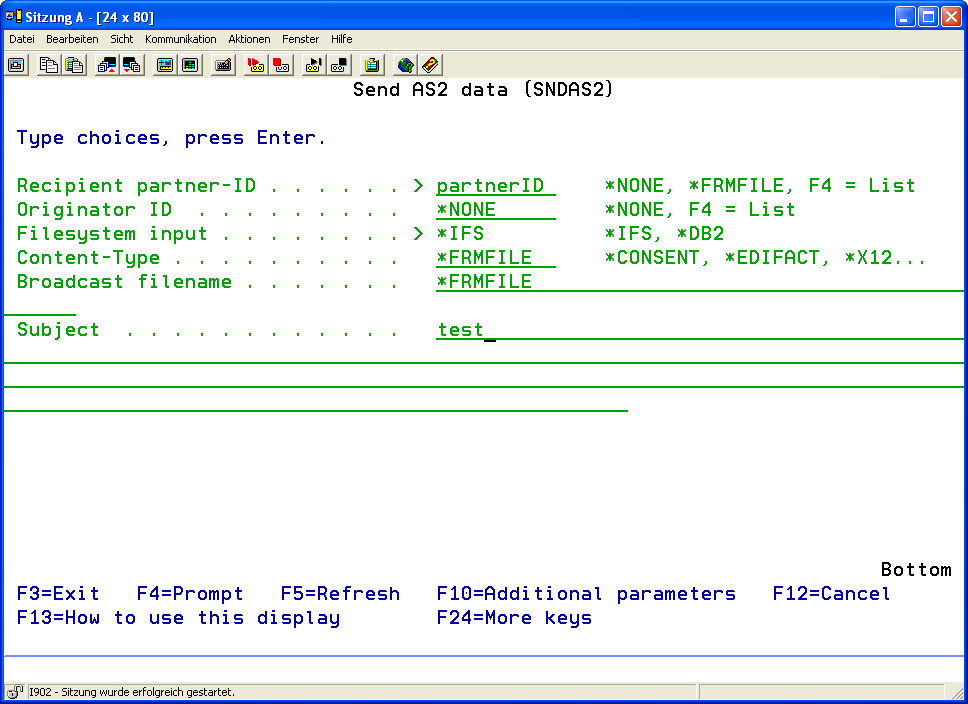
Depending on the chosen communication types, the corresponding communication command will be prompted, e.g. SNDEMAIL for the communication type *EMAIL/SND, SNDAS2 for the communication type AS2/SEND and so on. |
|
The parameters of the specific commands conform to the server module.
For example, the parameters for choosing source files are not available here because these were already defined in the server's data selection table. For a description of the parameters see Chapter 7 "Communication."