-
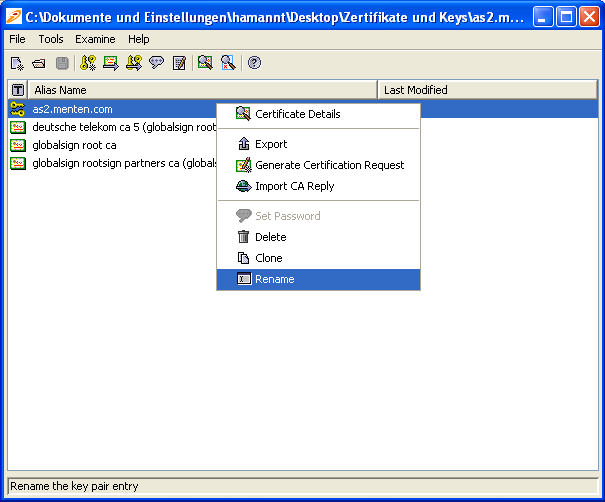
To change an alias name of a certificate that is saved in the keystore, proceed as follows: Move the mouse pointer to the certificate whose alias name is to be changed and right-click.
The following context menu will appear:
-
Select the menu item "Rename". A dialog window as shown below will appear. Enter the new alias name and confirm with "OK".