
The command VERIFYPDF verifies the signed PDF files. The electronic signature of the PDF file will be checked against the public key in the i-effect® keystore. If the entry is present in the keystore, the signature is verified, and integrity and authenticity of the document are guaranteed.
In order to use this command, licenses for the i-effect modules *BASE and *CRYPT are required.
The menu for PDF file verification can be found by entering 12 in the i-effect menu and then menu item 2 "Verify PDF File(s)".
The command "VERIFYPDF" and F4 can also be entered directly from the i-effect menu, if desired.
The following program interface will be displayed:
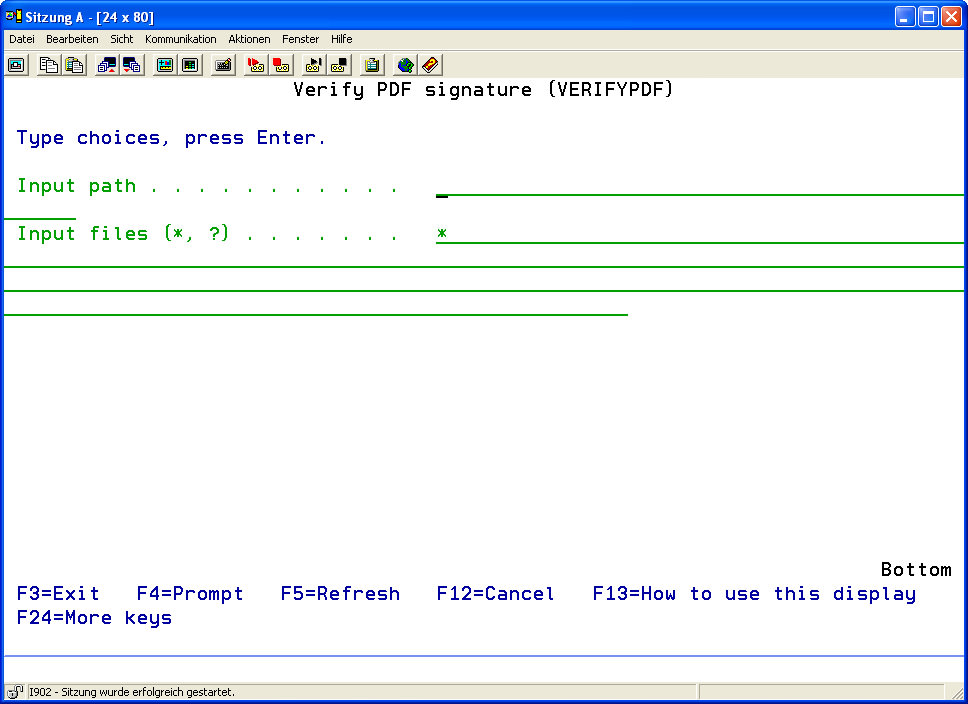
Description of the parameters:
|
Input Path (FRMPATH) |
Determine the path in the IFS file system from which the PDF files should be taken in order to verify the digital signatures. |
||||
|
Input File(s) (FRMIFSFILE) |
Determine the PDF documents which are to be read from FRMPATH and then be used. By entering the wildcards "*" and "?" any number of files corresponding to the desired search pattern can be controlled.
|
||||
|
The following formats are possible for generic names: |
|||||
|
ABC* |
All files having the characters ABC at the beginning will be used, e.g. ABC, ABCD, ABCTEST. |
||||
|
a* |
All files whose name is in quotation marks and begins with a will be used, e.g. "a," "aB," and "aD." |
||||
|
|
All files having the suffix ".pdf" will be used. |
||||