
The task-dialog
With the help of tasks you can do different things in your mapping. Open the tasks dialog by running to the third column "tasks" in mapping and click right.
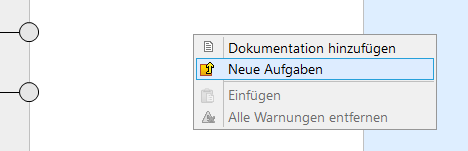
Here you can select new tasks. It opens a window with the new tasks:
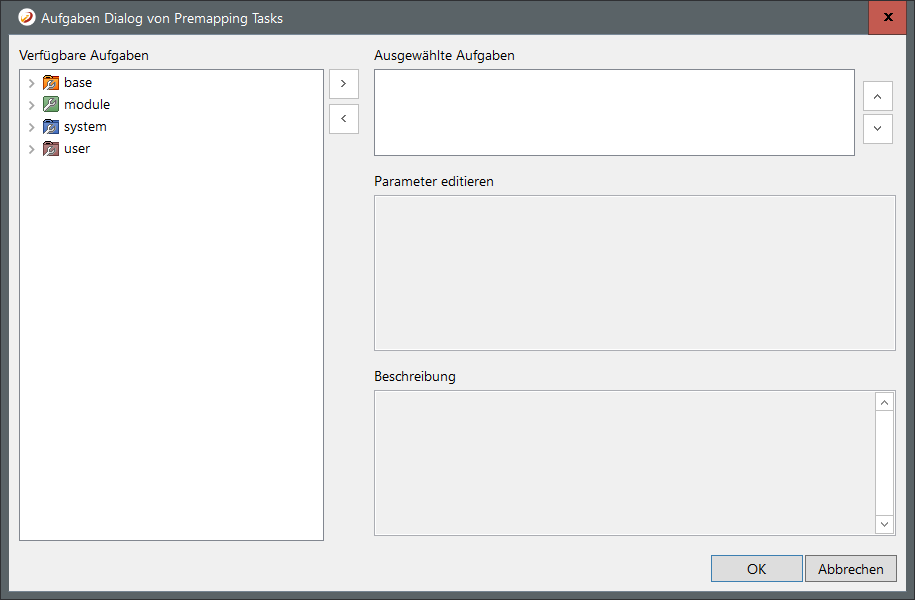
The task dialog is divided into four areas:
-
Available tasks: Overview of all tasks within the *MAPPER-server
-
Selected tasks: List of tasks to be used at this node
-
Edit parameters: The parameters to be set to the selected task from point 2
-
Description: The description of the tast (if available)
Tasks: Reserved Parameter Names
Most tasks got two reserved parameters: input and storeIn. In general, these two parameters have the function to deliver the input value or to store the return value. By default these two parameters are predefined with the variable CURRENT (in the case of conditional tasks CONDITION LEFT or CONDTIONRIGHT).
|
input |
"Input" indicates the actual input value of the mapping, a variable or a concrete value. |
|
storeIn |
The variable in which the value generated by the object is written. Standard: CURRENT |
Task Categories
Futher you can select the option from the various tasks categories: