After you have created a user and assigned it to one or more FTP server profiles, you can assign additional authorizations.
Basically, the user only has read permissions in his home directory.
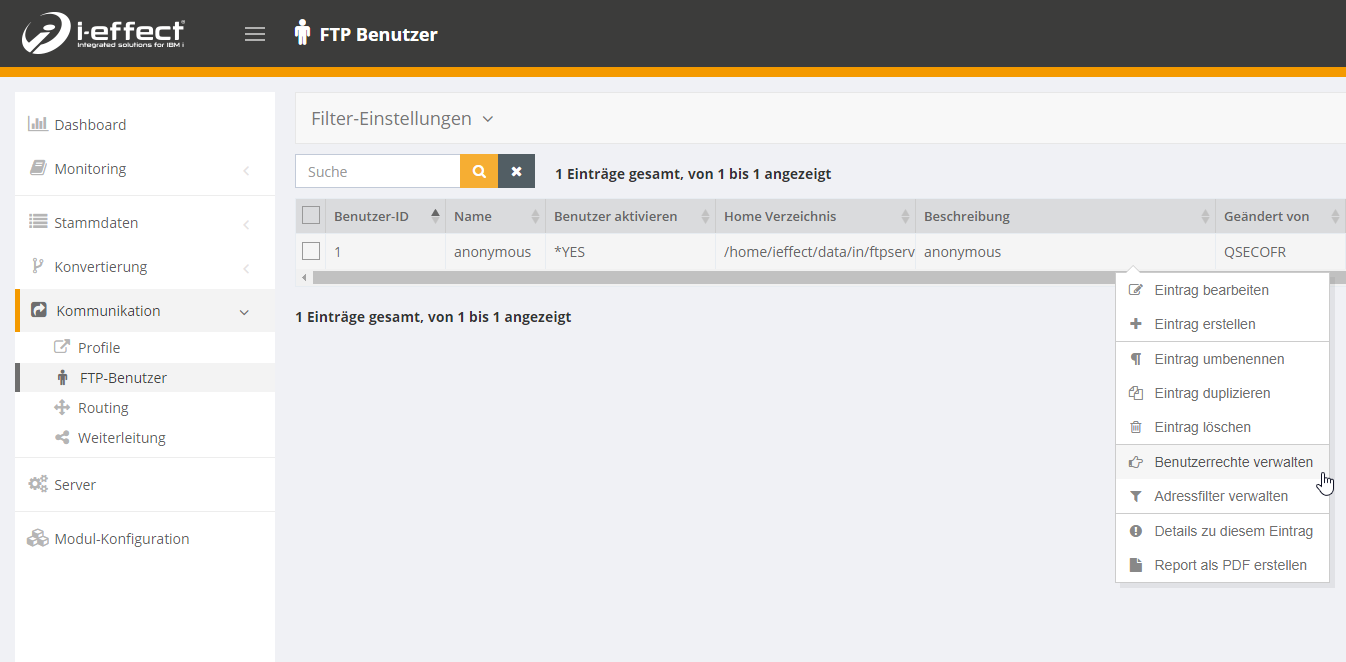
To assign the user rights, navigate to the menu item Communication → FTP user and open the context menu for the corresponding user.
There you choose Manage user rights.
In the new tab you can now define the permissions within the home directory.
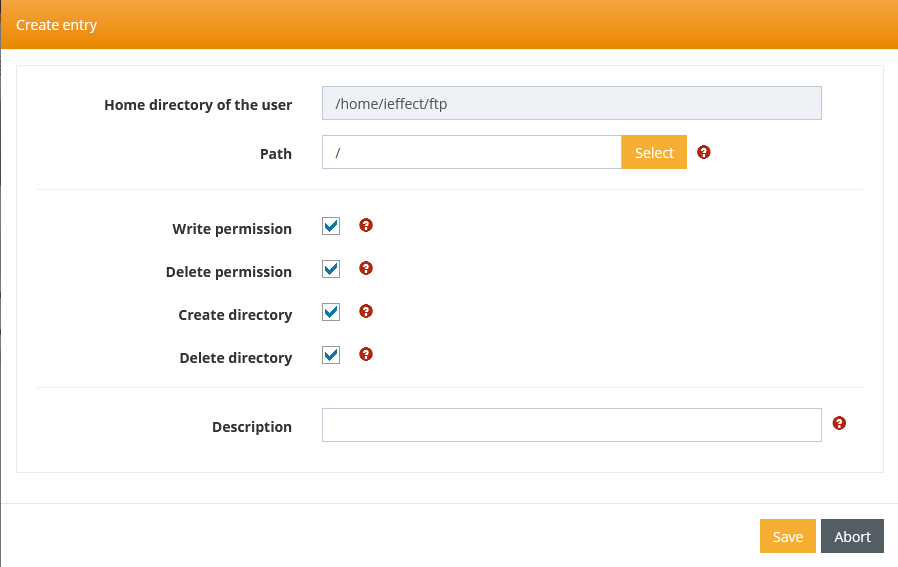
Select Create new entry to set new permissions. For example, if you want to assign write and delete permissions to the user's home directory, make the following settings.
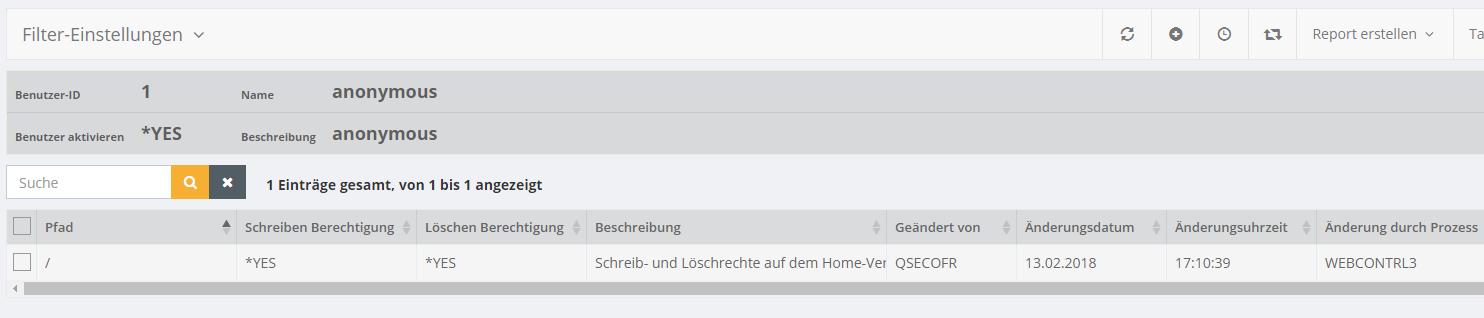
You will then see the following entry.