
To use the functions described here, you need a license for the i-effect modules *BASE and *FTP.
The SNDFTP command is used to send any data via FTP using predefined partner profiles.
When transferring objects from DB2 ( FS(*DB2) ) to another IBM Power Systems system ( TARGETPATH(*FRMPATH) or TARGETPATH(/qsys.lib/...) i-effect uses the standard commands SAVOBJ and RSTOBJ.
When you place your mouse over your username in the upper right corner in WebControl, the following drop-down menu opens:
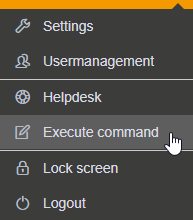
Use the menu item "Execute command" from the drop-down menu. The "Execute command" window opens:
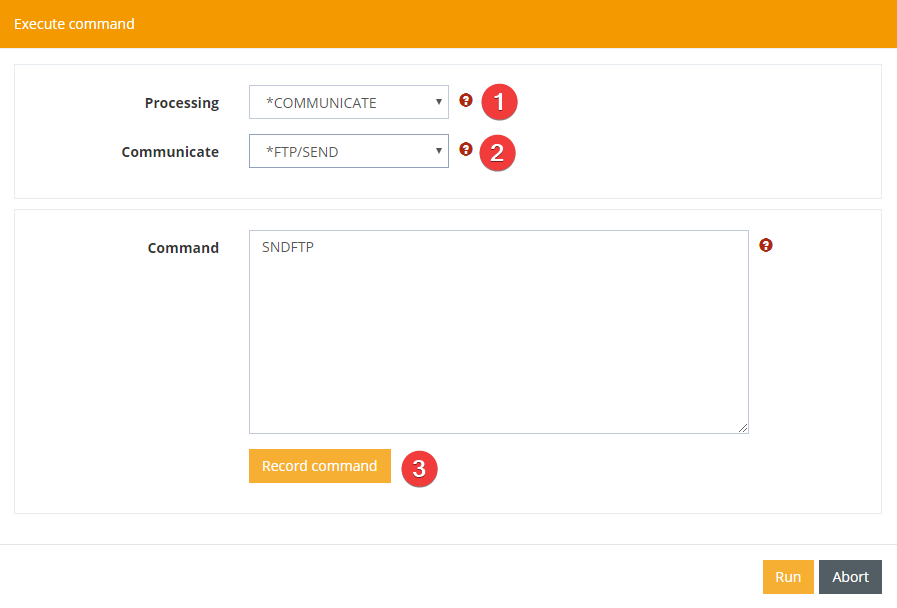
Here you select *COMMUNICATE for processing (1) and *FTP/SEND for the conversion type (2). With the "Edit command" button you can edit the following parameters for the command:
|
Parameter |
Explanation |
|
|---|---|---|
|
Receiver Partner-ID |
At this point, refer to a partner profile created in the master data. If you enter the value *NONE, no recipient partner ID is assigned. The specifications required for the recipient must then be specified in other parameters of this command. |
|
|
Profile No. |
At this point, refer to a communication profile created in the master data. If the value *NONE is specified, no communication profile is assigned. The specifications required for the remote system must then be specified in further parameters of this command. |
|
|
Source file system |
Enter the file system of the input file here. Choose between *DB2, the DB2 file system, and *IFS (Integrated File System). |
|
|
Source path (*IFS) |
The input file to be sent is entered here. |
|
|
Source file (*DB2) |
Source file |
Select *ALL to send all files in the source directory / source library or specify the name of the input file to be sent. |
|
|
Library |
The library of the source file in the DB2 file system. |
|
|
Part file |
The source part file in the DB2 file system. |
|
Target path |
Enter the path for storing the file in the target system. With the value *FRMPATH, the target path is taken from the specification for the source path. |
|
|
Target file |
Enter the file name of the file in the target system here. With the value *FRMFILE, the target file name is taken from the specification for the source file. |
|
|
Replace |
Specify here whether the transferred file is to overwrite a file with the same name in the target system. |
|
|
Command Target system |
Here you can transfer up to 50 FTP commands for the target system via FTP. This command is executed remotely. |
|
|
Command time |
If you want to have a command executed on the remote system, you can define here whether it is executed before or after the transfer. The values *BEFORE and *AFTER are available for selection. The command is executed before or after the FTP transfer, depending on your selection. |
|
|
Pattern for renaming |
Specify here whether the transferred file should be renamed on the target system after it has been successfully sent and, if necessary, a new name or name pattern. |
|
|
Delete after transmission |
Specify here whether the transferred source file should be deleted after sending. |
|
|
Encryption |
Determines whether the connection should be encrypted. |
|