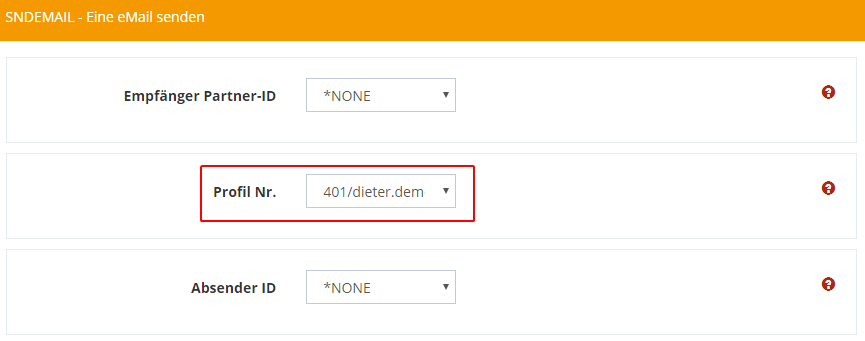
General
The SNDEMAIL command is used to send a text or any file attachments from IBM Power Systems via e-mail. You can specify multiple recipients or copy recipients and up to 200 files from the IFS or DB2 file system. SNDMAIL sends these files as MIME attachments and works with any standard mail server.
Command call
In your programs or from the green screen you can use the command as follows:
IEFFECT/SNDEMAIL
Or directly in Webcontrol when you click on your user name in the upper right corner and click Execute command.

Command parameters of SNDEMAIL (with partner and sender)
Receiver Partner ID
Select the partner you want to send the e-mail to (This option is recommended).
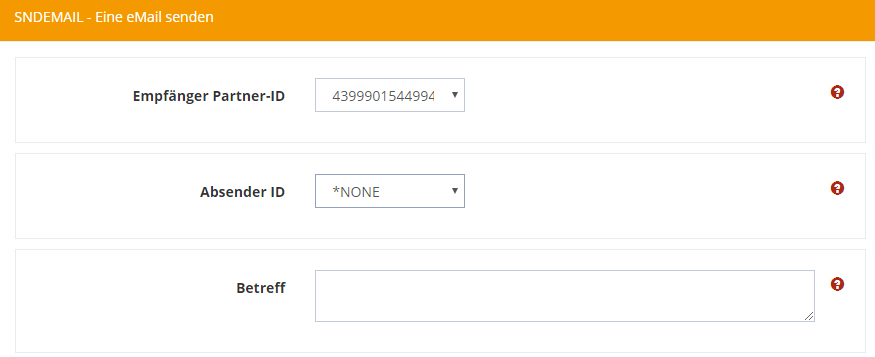
To send the e-mail, the e-mail profile configured at the partner is used.
To check this, go to the menu item Partner → and right click on Edit entry → *EMAIL.
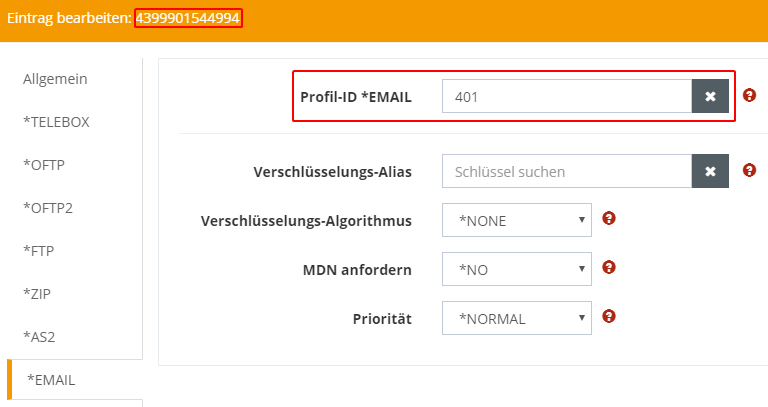
There you select the desired e-mail profile under Profile ID *EMAIL.
Sender ID
Attention: If you leave this value at *NONE, the setting is taken from the module configuration of the e-mail profile (see module configuration of the e-mail module).
Please note that, unlike *EMAILTO, the address type *EMLFRM does not specify the sender address when sending with the SNDEMAIL command, but is used for partner assignment at RCVEMAIL.
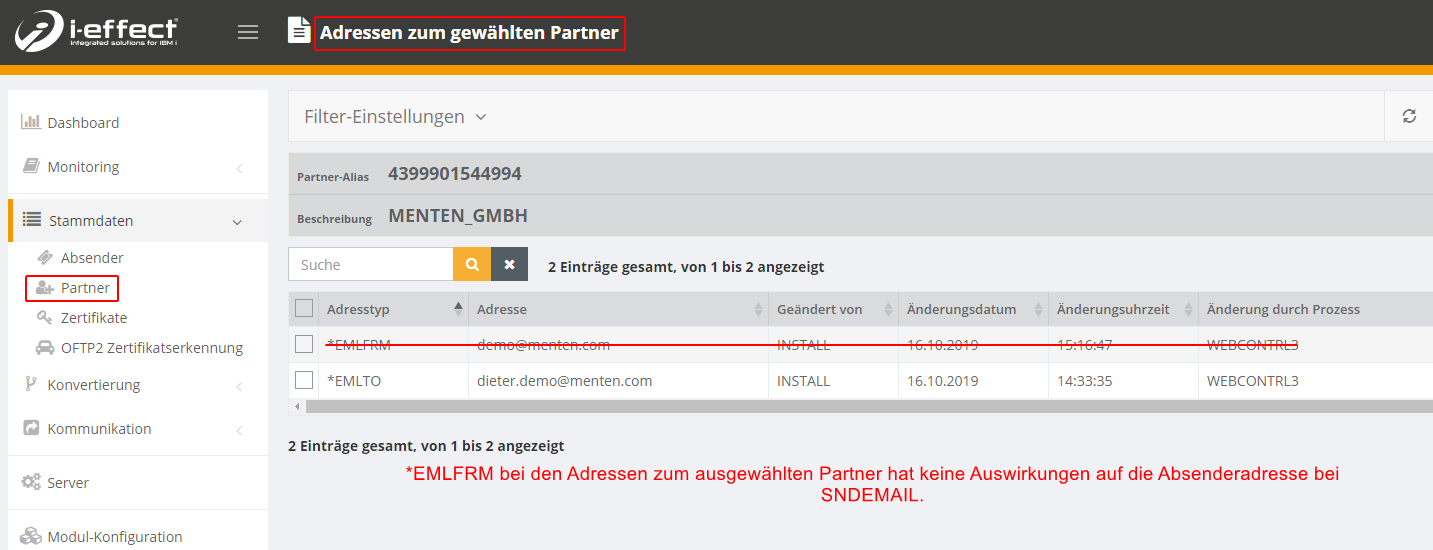
If you want to use a specific sender address, select a sender ID here.
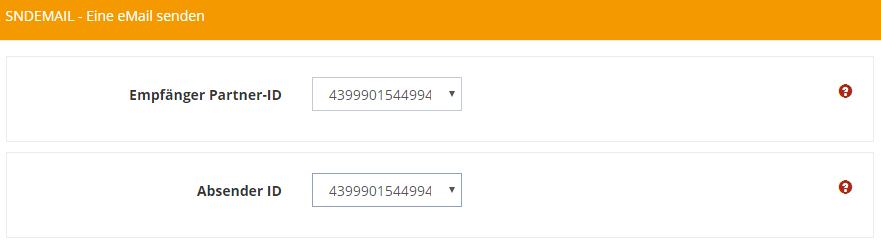
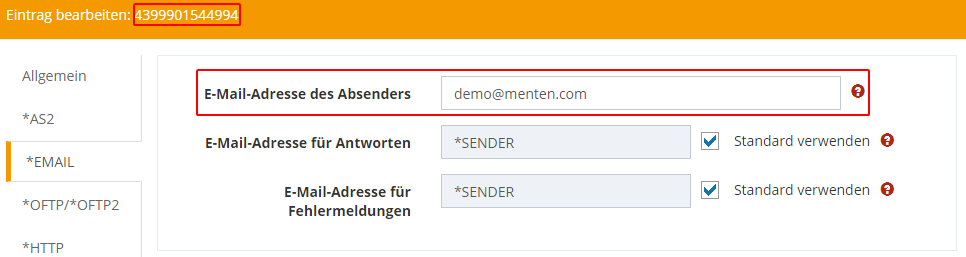
You can add or edit a sender profile under Master Data → Sender. Right-click on the entry and select Edit Entry. Under the *EMAIL tab, you can enter any e-mail address for the sender e-mail address.
Subject
Enter the subject of your e-mail here.
Command parameters of SNDEMAIL (without partner and sender)
Manual configuration of the receiver without using receiver Partner ID
If you do not select a recipient using the field Recipient Partner ID, you have the option of specifying the recipient of the message manually using the parameter (RECIPIENT):
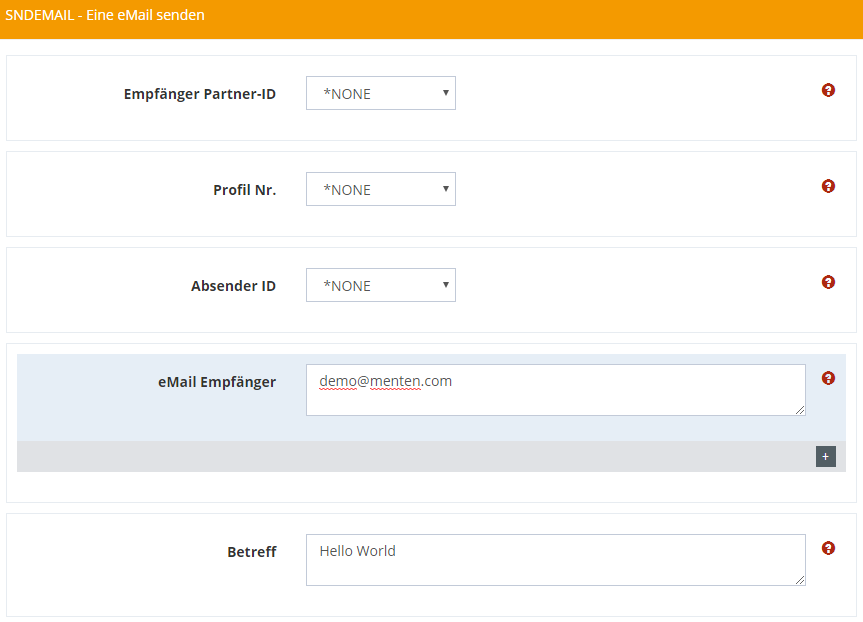
Manual configuration of the receiver without the use of sender ID
If you leave the Sender ID field at *NONE, the settings from the module configuration will be used (see Module Configuration of the e-mail module). Otherwise, you can also use the following parameters (MISC) to overwrite this setting
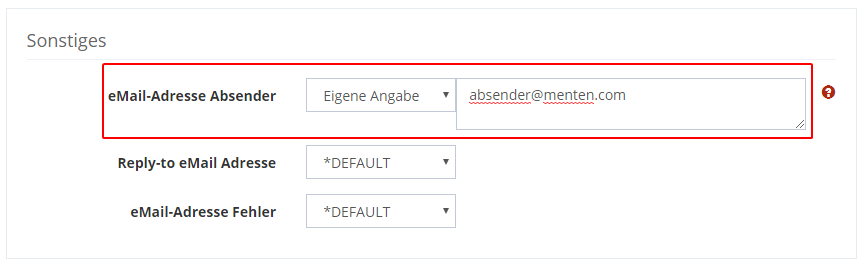
Manual configuration without sender ID with profile ID
If you do not use a sender ID (with a linked email sending profile) you can use the profile ID instead to define an email sending profile. This prevents using the module configuration as default.