
General
The RCVEMAIL command is used to retrieve e-mail from a POP3 or IMAP-compatible mail server. File attachments or texts from eMails are automatically decoded and stored in the assigned directories.
Command call
You can use the command in your programs or from the green screen as follows:
IEFFECT/RCVEMAIL
Or directly in Webcontrol when you click on your user name in the upper right corner and click Execute command.

check email
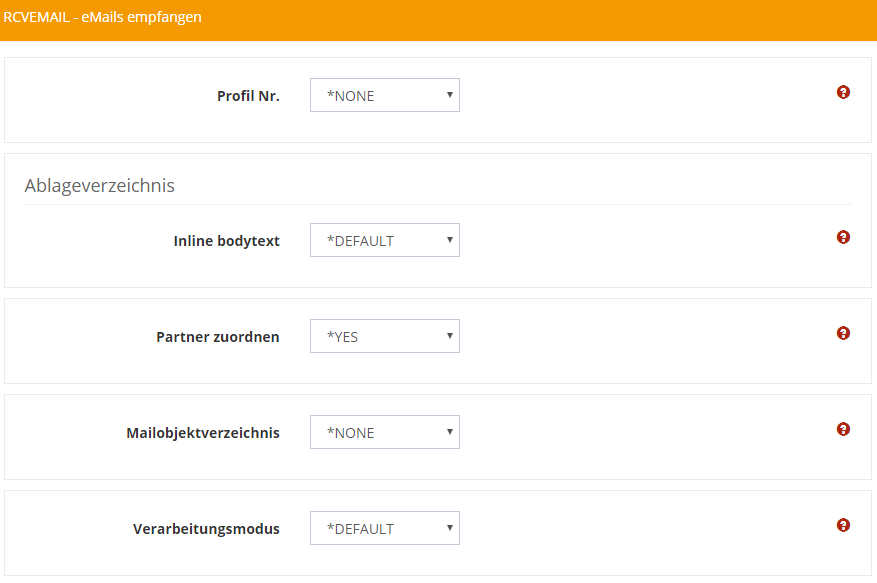
Profile No.
Enter a receiving profile (communication profile) for your e-mail box (see Configuring the E-Mail Receiving Profile).
Inline body text
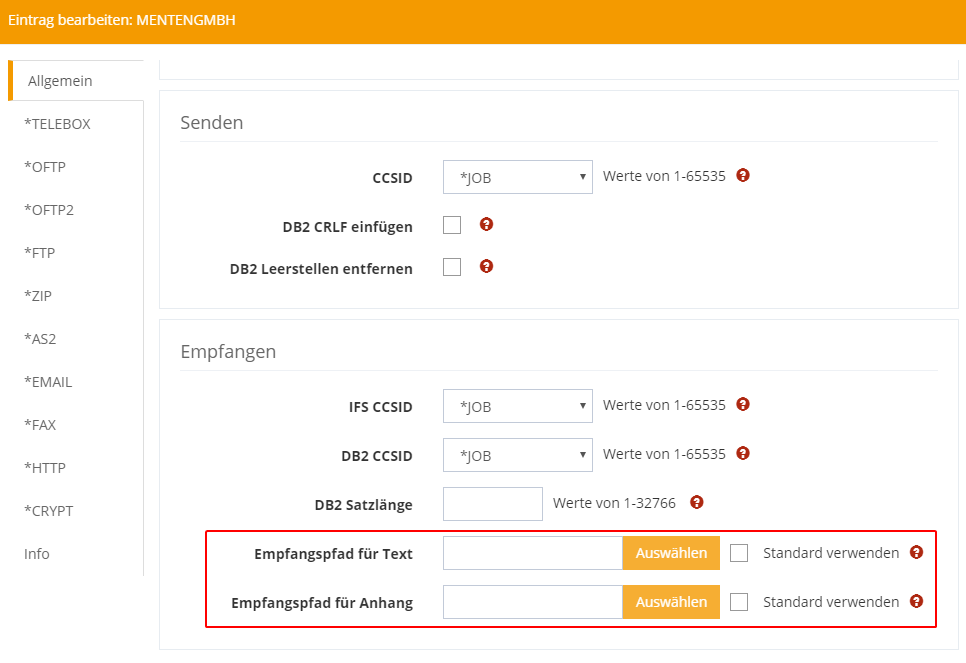
Determines where the text from the e-mail is saved. Select *DEFAULT to accept the setting from the e-mail module configuration or specify a directory.
Annex
Determines where the attachment from the e-mail is saved. Select *DEFAULT to accept the setting from the e-mail module configuration or specify a directory.
Assign partner
Determines for the receipt processing whether the automatic partner assignment based on the sender address is applied. For this, the value *EMLFRM must be maintained under the partner data.
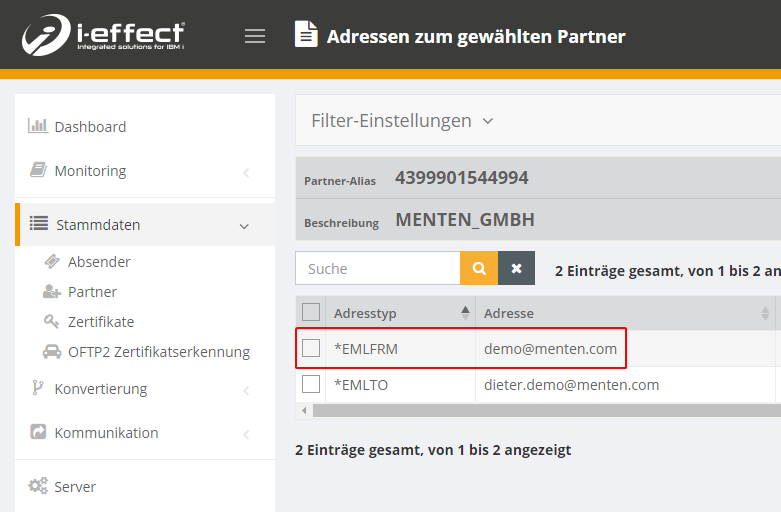
In this case the directories of the partner profile are used:
Mail object directory
Use this option if you want to process *eml files from a directory instead of retrieving mail from a mail server.
Processing mode
Defines the processing mode. You can select from *DEFAULT (retrieve and process), RECEIVEONLY ( save .eml files in the [MAILOBJDIR] directory), or PROCESSONLY ( process .eml files from the [MAILOBJDIR] directory).