
It is recommended to first of all use the Keystore-Manager to create or import your own private and public key pair.
To receive messages via AS2 or to obtain asynchronous MDNs, you need a receive profile. To create such a profile, please proceed as follows:
Using Webcontrol, select the menu item Communication → Profiles from the left navigation bar.
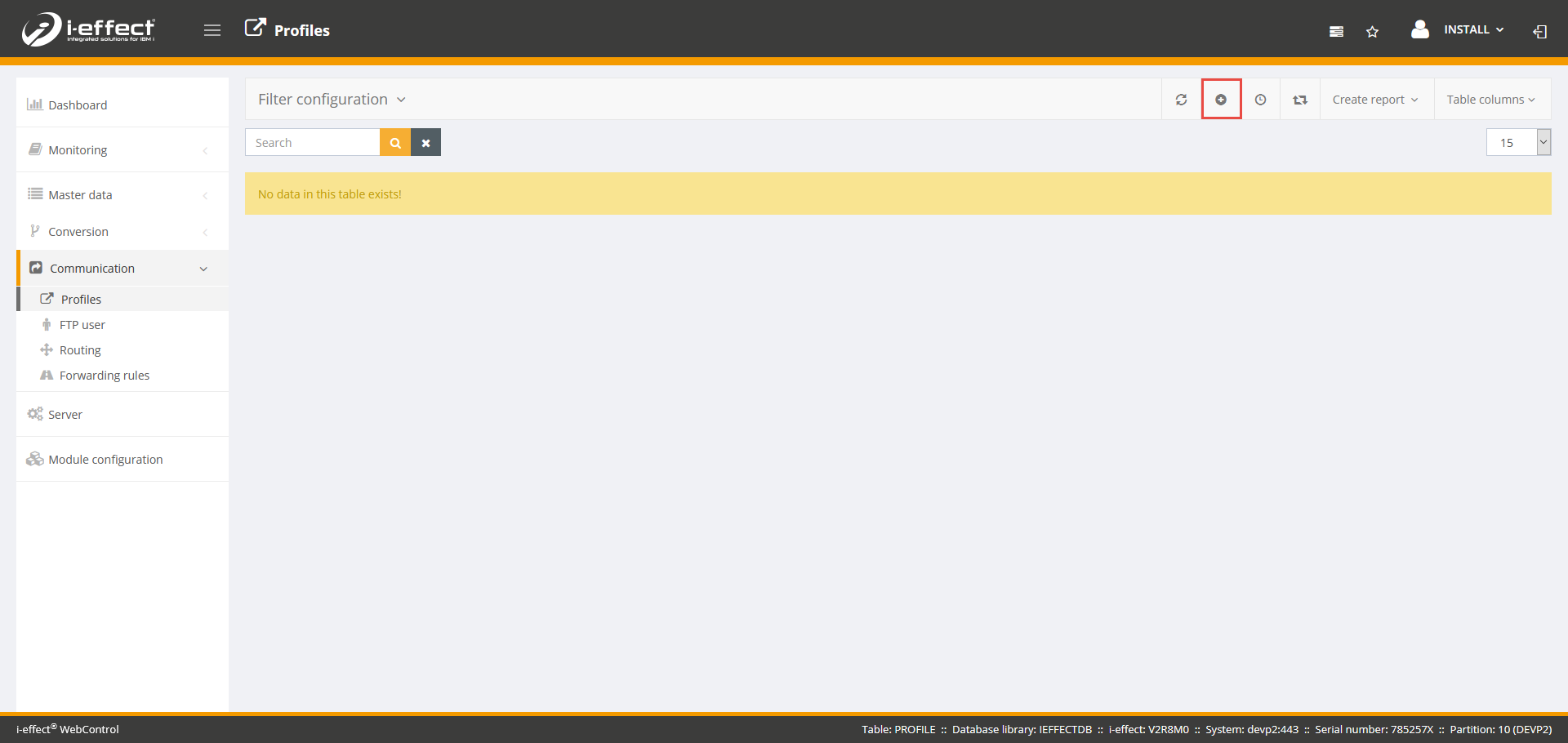
Click on the Create new entry button on the top right of the screen
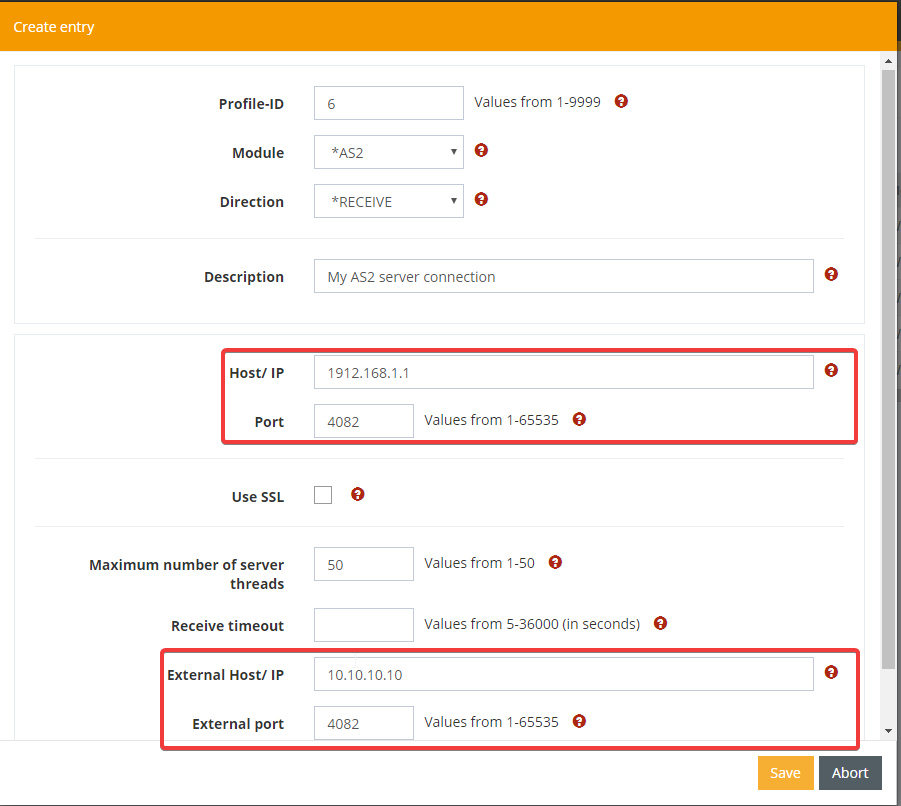
Select *AS2 as the module type and *RECEIVE as the direction. Also assign a profile ID (a number to which you want to assign this profile).
Make sure that you enter the internal host IP address and the port on which the AS2 server is to listen. Also specify the external host name/IP address and the port that your partners can use to reach your AS2 server.
.
Remember to restart the AS2 subsystem, as new servers will not be restarted until then.
Explanation of the parameter:
|
Parameter |
Explanation |
|---|---|
|
Profile ID |
A unique identification number assign to this entry. |
|
Module |
*AS2 for using the AS2 communication module |
|
Direction |
*RECEIVE for specifying an AS2 Server to be created |
|
Description |
A short, free form description for this entry |
|
Host/IP |
The IP address or the hostname of the AS2 server of your communication partner, which can be resolved by DNS. |
|
Port |
The port number of your communications partner's AS2 server. |
|
Use SSL |
This parameter controls the use of SSL/HTTPS (Secure Socket Layer). |
|
Maximum number of server thread |
The maximal number of connection to be handled simulateously. If the number of available communication slots reaches zero, the AS2 server will not answer further incoming connection request until more slots become available again. |
|
Receive timeout |
After the connection from your partner's client has been established and the data transferred, the AS2-client waits the time defined here to receive an OK (Http status code 200) from your partner's server. If the required OK is not received within the time defined here, the *AS2 module will report a timeout error for the transmission. Unfortunately, it is not possible to define a rule of thumb for the time to be entered here. Only empirical values can be taken into account when allocating this time. |
|
External Host/IP |
The Host name or IP address for this AS2 server as to be used from your partners side. This is the address your AS2 server can be reached from the outside. |
|
External port |
The external port for this AS2 connection. It can be different from the internal port especially when using NAT to route incoming request inside your network. |