This article describes how to send files via the AS2 protocol using the SNDAS2 command available in i-effect.
This article describes how to send files via the AS2 protocol using the SNDAS2 command available in i-effect.
The command for sending data is:
SNDAS2
The following parameters can be used when calling the command:
|
Parameter |
Description |
|---|---|
|
PARTNER |
Specifies the partner ID. The stored AS2 send profile is then used from the specified partner profil. The partner alias is taken from the EDIFACT file (recieve in the UNB segment) |
|
PROFILE |
If no partner profile is to be used, the ID of the communication profile (AS2 send profile) can also be used directly. |
|
ORIGINATOR |
Die ID of the sender profile from which, for example, the AS-TO is taken. |
|
FS |
Specify the file system from which the file to be transferred is taken. The values *IFS and DB2 are possible here. |
|
FRMFILE |
The AS2 input file to be sent is entered here (available only if the parameter FS=DB2) |
|
FRMPATH |
Specify the path to the IFS input file. |
|
CONTENTT |
Specify the type of content of the AS2 message here. For example: *CONSENT, *EDIFACT, *X12, *XML, *FRMFILE or *DEFAULT. |
|
BROADCAST |
The alias name (file name during transmission) under which the AS2 input file is to be sent |
|
SUBJECT |
Subject of the AS2-message. |
|
SIGN |
You can use this parameter to sprcify whether an electronic signature should be used for sending this AS2 message. A message that has been electronically signed in this way can be examind by the recipient for completenss and integrity as well as for its orginal origin by means of the sender's public key. If you enter the value *DEFAULT in the first element, the values of both elements are taken from the master data of the AS2 module under menu item 80.
|
|
ENCRYPT |
This parameter can be used to soecify whether the AS2 message is to be electronicalls encrypted. The message is encrypted with the recipient's certificate (public key). The recipient can only decrypt the massage using the approproate private key. |
Senden mit minimaler Konfiguration (mit Profil)
The following example shows how to call an AS2 send function without using receiver master data. Only the number of an AS2 send profile and the name of the sender profile to be used must be specified.
The following command sends the file /tmp/test.txt from the sender 'as-absender' to the AS2 send profile number 201.
SNDAS2 PROFILE(201) ORIGINATOR('as2-absender') FRMPATH('/tmp/test.txt')
Sending with a minimum configuration (to partner)
The following example shows how to call an AS2 send function using receiver master data. Only the name of the sender to be used and the name of the recipient (partner) to be used are specified here in order to be able to send a file.
The following command sends the file /tmp/test.txt from the sender 'as-absender' to the partner 'testpcwindows'.
SNDAS2 PARTNER(testpcwindows) ORIGINATOR('as2-absender') FRMPATH('/tmp/test.txt')
|
Parameter |
Value |
|---|---|
|
PARTNER |
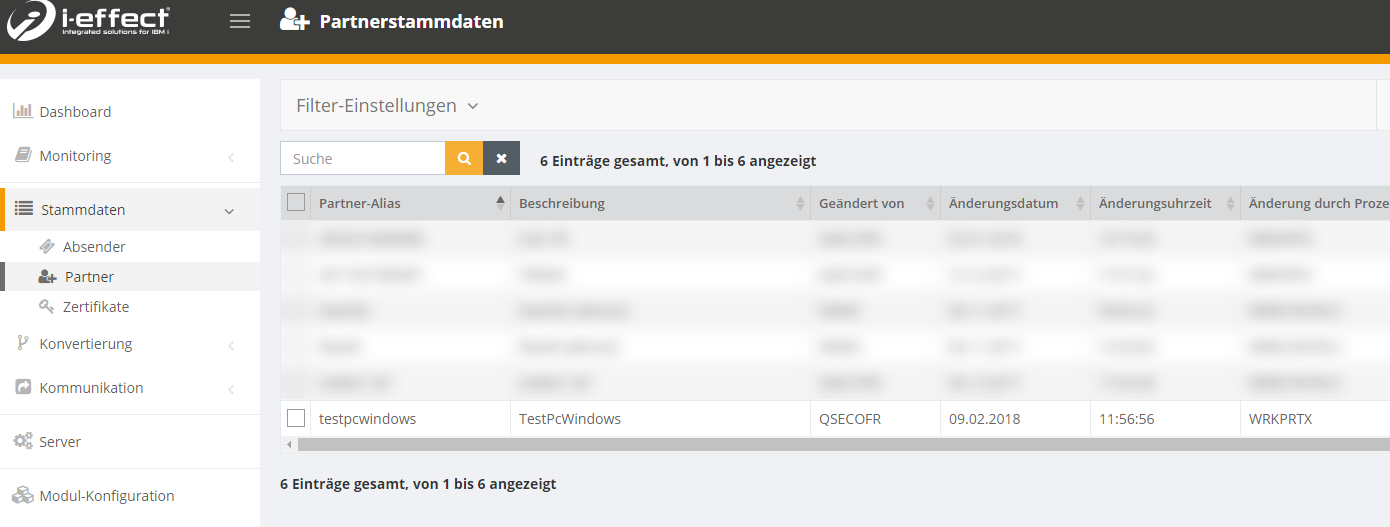
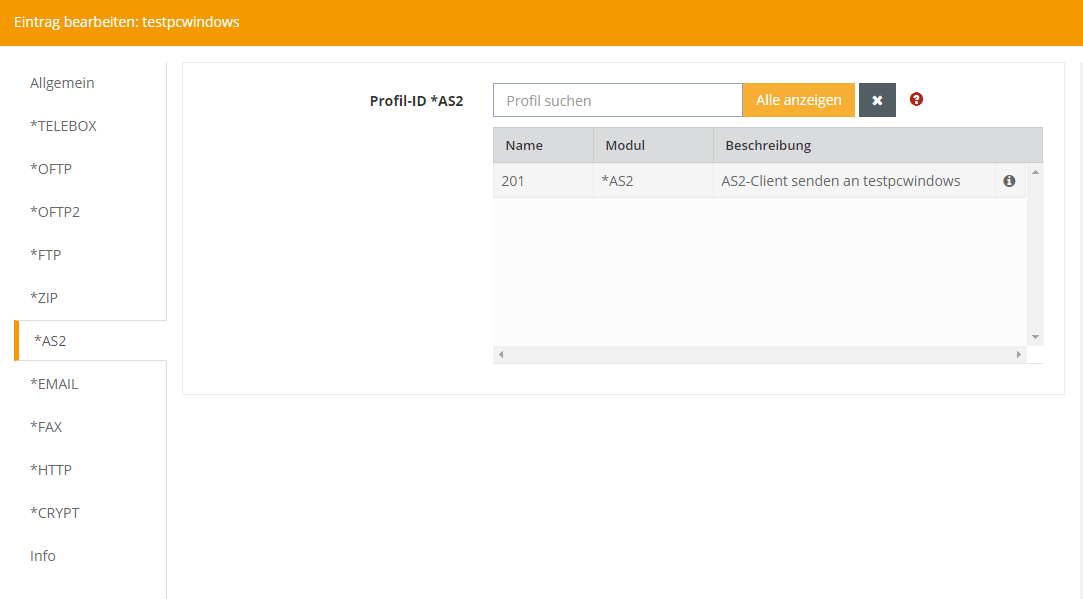
The partner you configured from the partner master data: The AS2 send profile is defined in the partner itself: Further settings can then be found in the AS2 sendprofile itself (e. g. AS2-TO, encryption options, MDN options)
|
|
ORIGINATOR |
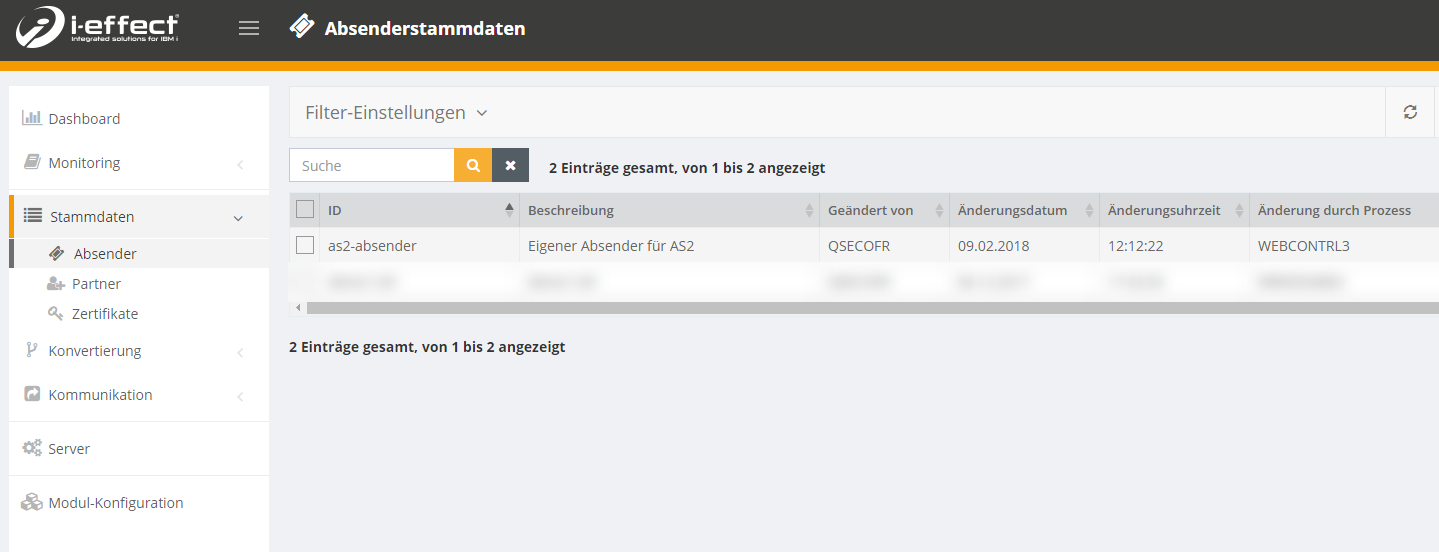
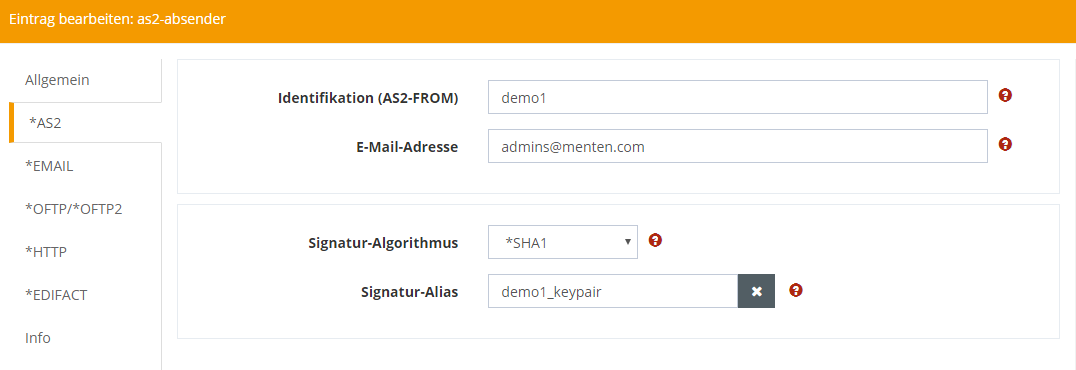
The sender profile to be used. Specifies the AS-FROM and the key pair to be used for the signature and encryption. You can configure the profile under Master data→ sender: The AS2 settings can be found under the tab *AS2: |
|
FRMPATH |
File from the IFS. |
Send encrypted
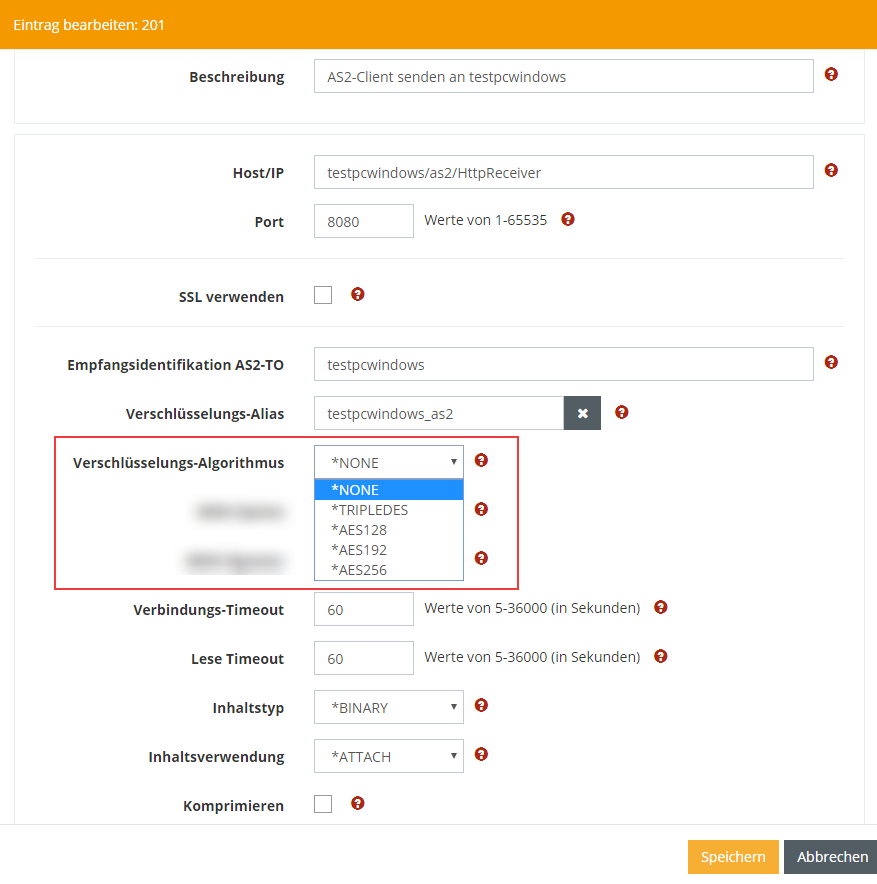
To transfer encrypted files to your partner you have to configure this in the AS2 send profile.
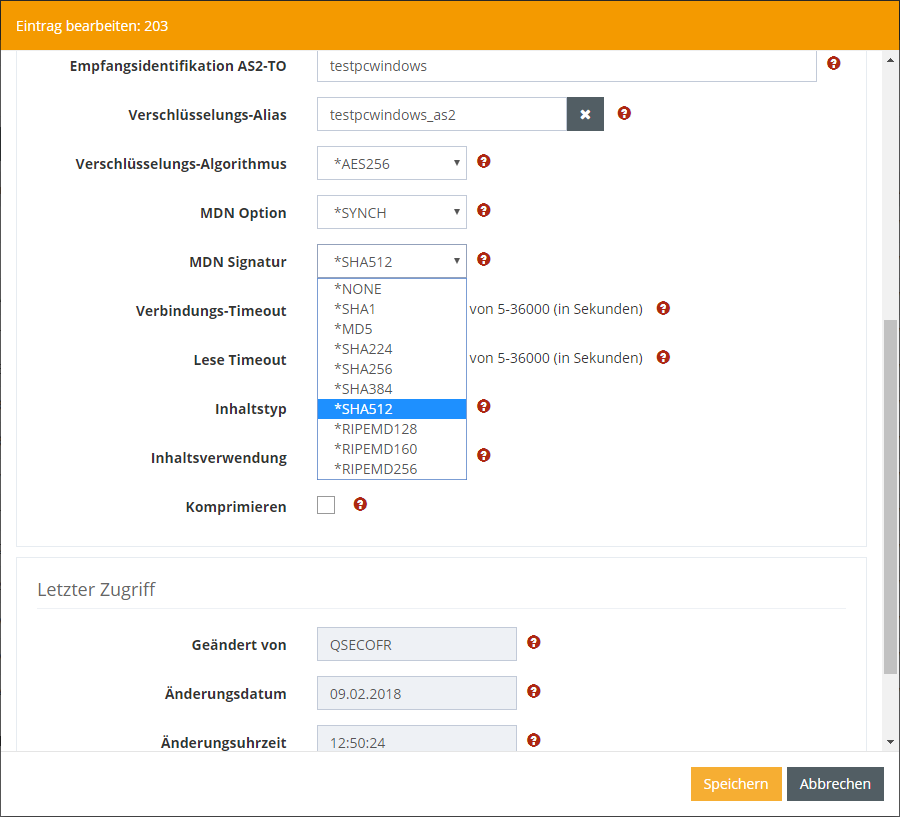
To do this, open the respective AS2 transmission profile under Communication → Profiles. Here you change the encryption algorithm to the desired format:
Sign MDN
To additionally sign the MDN of the files, specify the corresponding MDN signature algorithm in the AS2 send profile: