
It is also necessary to have an entry in your master data that describes you as the originator of the communication.
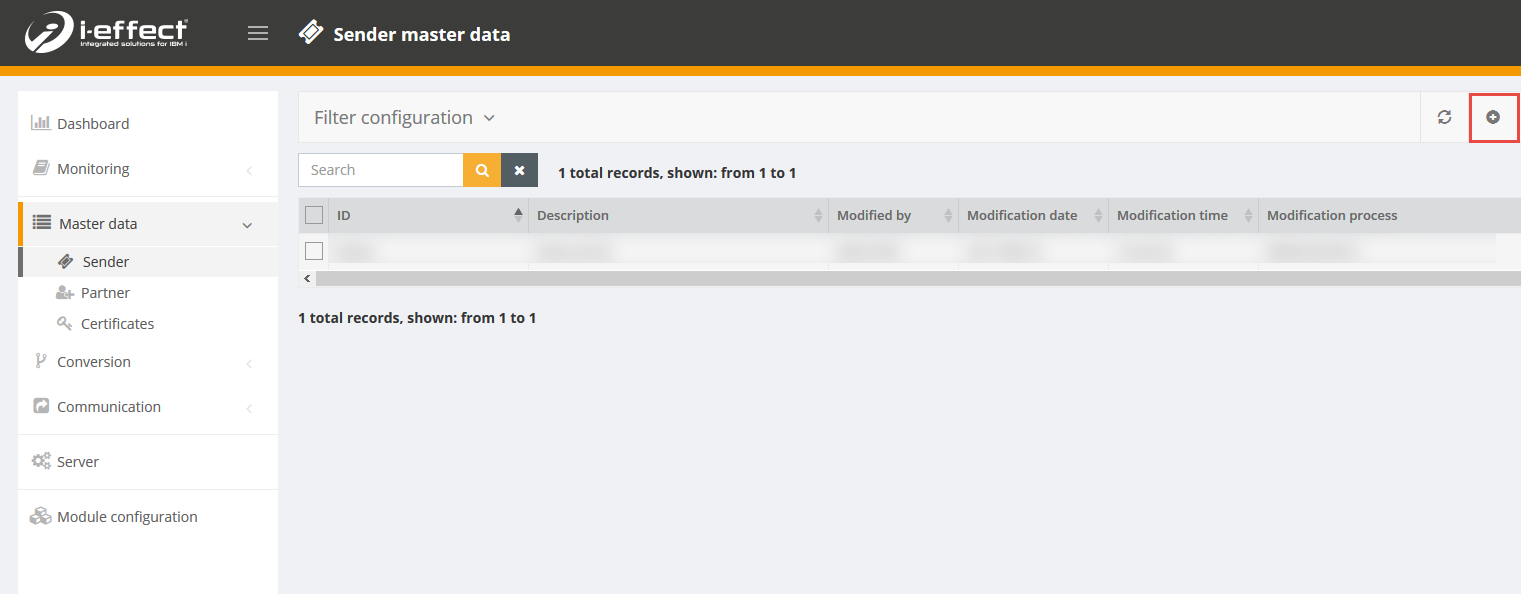
Using Webcontrol, select the menu item Master data → Sender from the left navigation bar.
Click on the Create new entry button on the top right of the screen.
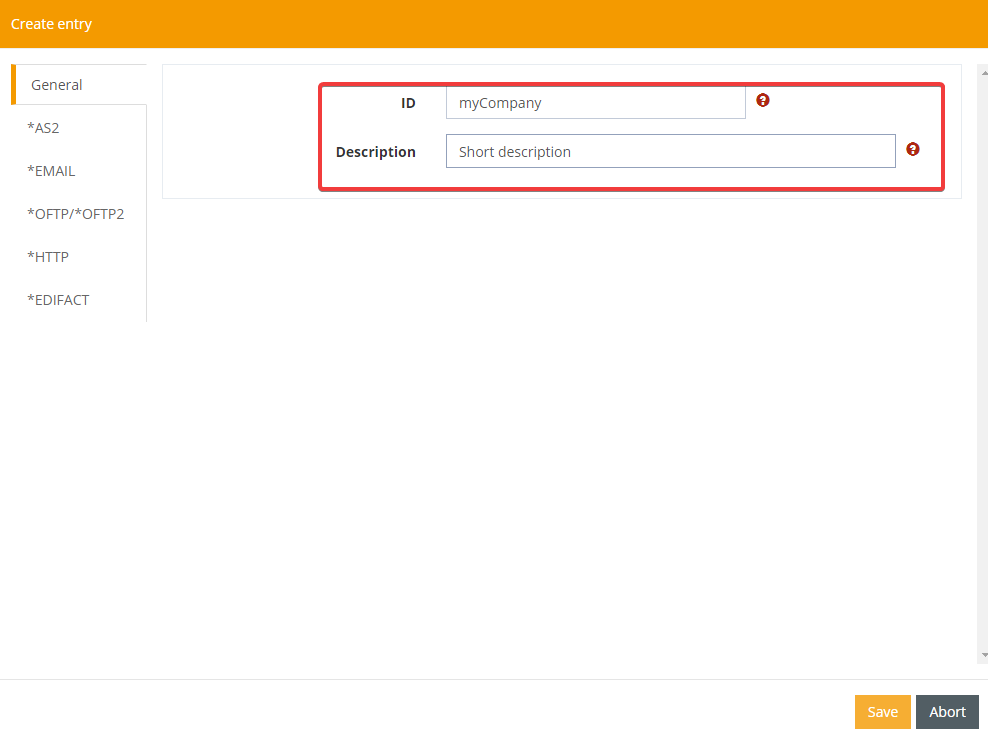
Enter a new unique alias for the originator to be created and a short description.
After selecting the *AS2 tab on the left, fill out the following fields to complete your data entry.
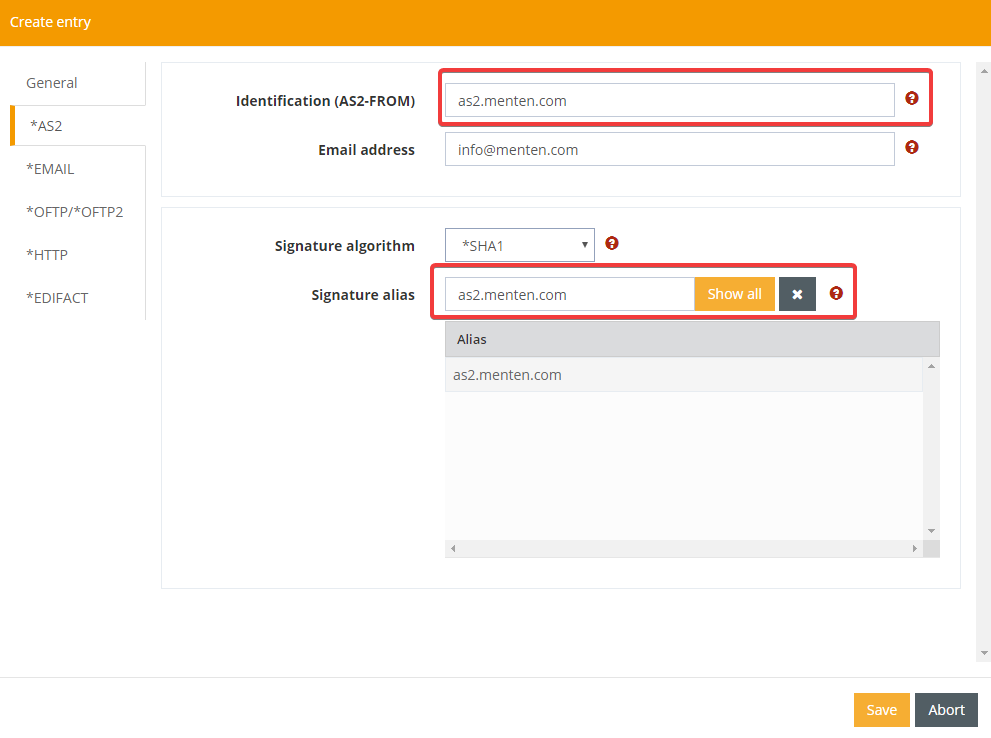
It is important to specify at least the Identification (AS2-FROM) and the Signature alias for the signature & encryption.
Explanation of the parameter:
|
Parameter |
Explanation |
|---|---|
|
Identification (AS2-FROM) |
The identification for you as the originator of an AS2 transaction. This has to be agreed upon between the partners. |
|
EMAIL address |
The Email address to be used for getting into contact with you outside of an AS2 transaction, For example in case of communication problems. |
|
Signature algorithm |
The signature algorithm, you and your partner agreed upon. |
|
Signature alias |
The keystore entry referring to your privat key. |