
The MRGFILEPDF command converts an PDF/A-1 to a PDF/A-3 and then it adds the File to the PDF.
For this command, you need a PDF / A-1 compliant PDF.
How can i recognize that my PDF is an PDF/A-1?
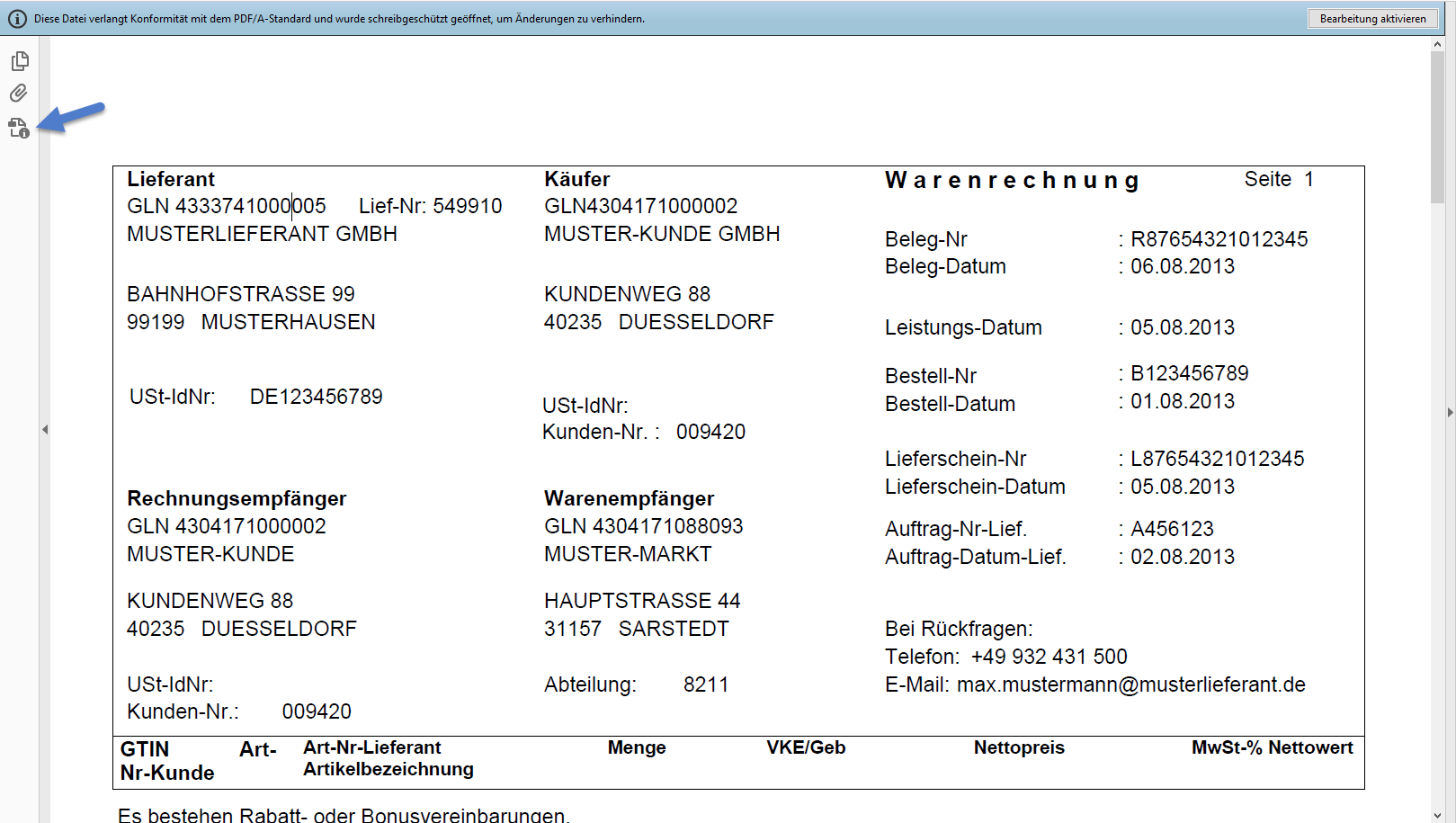
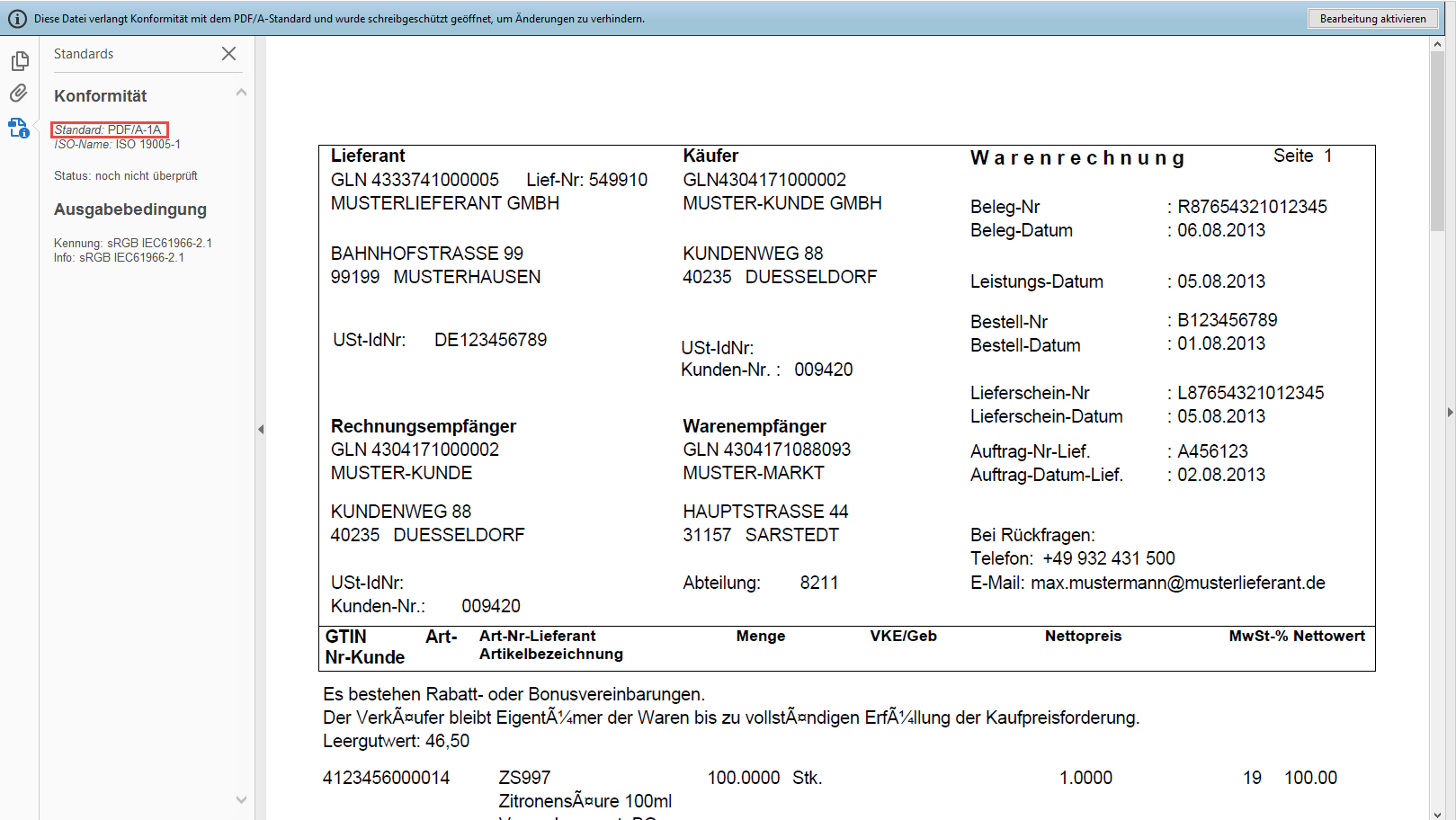
Execute an order
When you place your mouse over your username in the upper right corner in WebControl, the following drop-down menu opens:
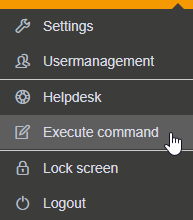
Use the menu item "Execute command" from the drop-down menu. The "Execute command" window opens:
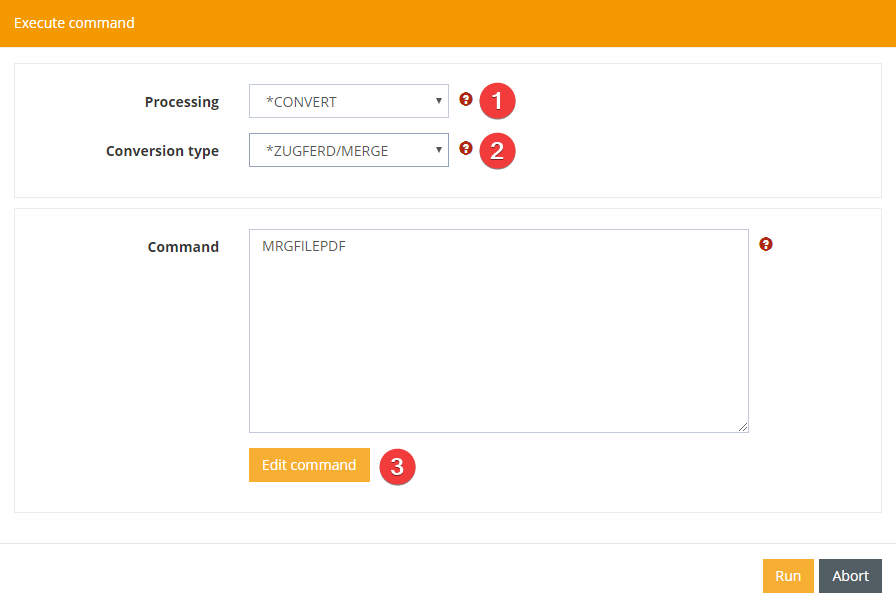
Here you select *CONVERT for processing (1) and *ZUGFERD/MERGE for the conversion type (2). With the "Edit command" button you can edit the parameters for the command.
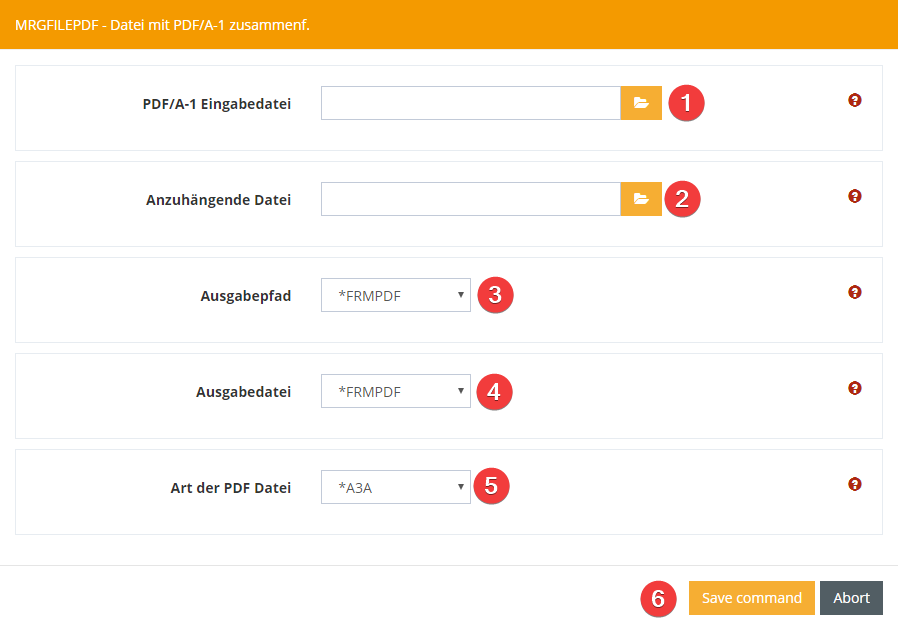
The first parameter is the path for the PDF/A-1 input file (1) that is to be converted and linked to a file.
The second parameter is the path for the attached file (2), which should be linked to the PDF.
The third parameter is the output path (3), which specifies the path of the PDFA to be created. If *FRMPDF is specified here, the original path of the PDF/A-1 is used.
The fourth parameter is the name of the output file (4), i.e. the file name of the PDFA which is created. If *FRMPDF is specified here, the original name of the PDF/A-1 will be used.
The fifth parameter is the type of PDF file (5). Here you can choose between A3A, A3B and A3U.
With "Accept command" (6) the parameters are saved and the command can be executed.