
Create a new mapping project
Before you can proceed with the creation of a mapping, you need to create a project first.
Eclipse uses projects to manage any files in process. Certain plug-ins can provide respective forms of preset project templates. These templates go beyond the character of a storage container, as they include, to a certain extent, the corresponding project basis (configuration options, directory structures, etc.). Files of different types or various plug-ins can be managed in one project and are not necessarily bound to their plug-in.
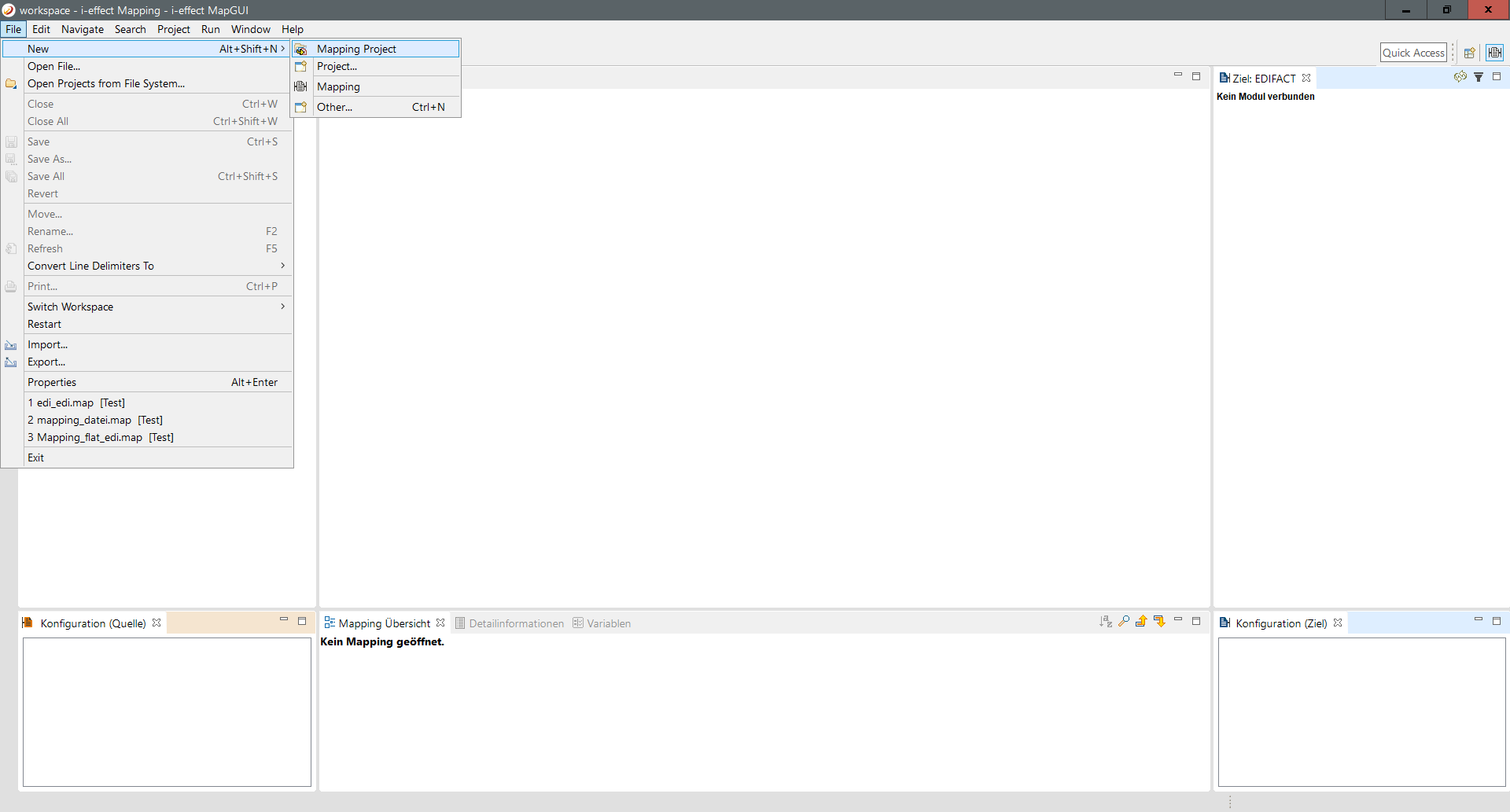
Step 1: Create a new project:
Open the menu item File → New and choose a mapping project.
Step 2 - Specify project name und directory:
Now you can create a new project using the wizard. To do this, select a project name and the appropriate directory.
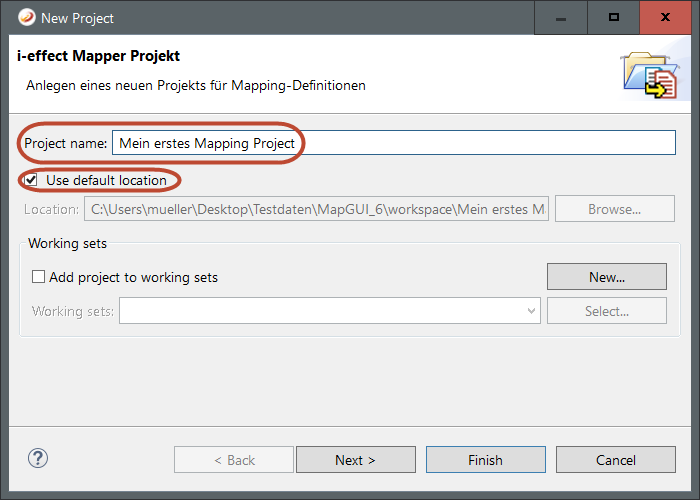
Step 3 - Complete:
Now click Finish.