
Certificates or key pairs are always required to set up the communication profiles. For your server profile you need a key pair (private and public key) and for your send profile you need the certificate of your partner (e.g. a.cer file).
Create key pair
Besides the certificates of your partners, you also need a key pair so that you can encrypt and sign data yourself. You can create this key pair directly in the certificate management.
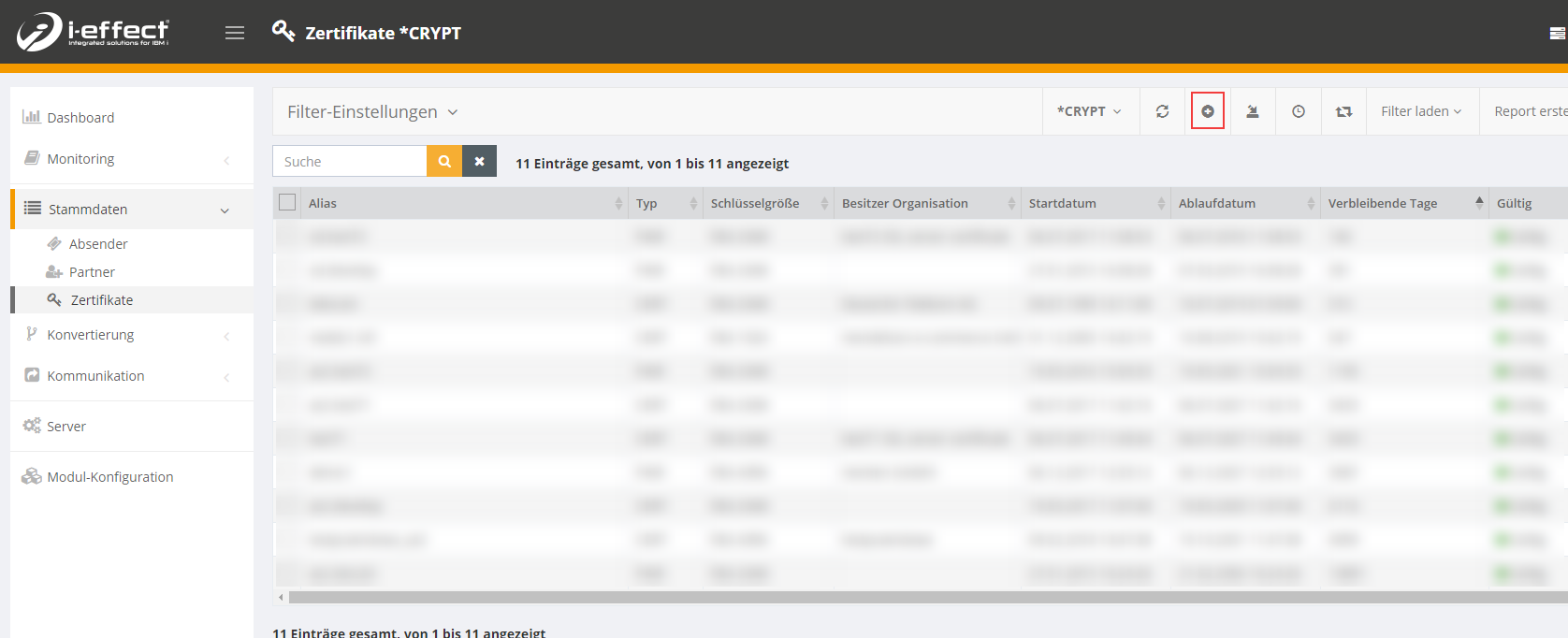
To do this, navigate to the menu item Master Data → Certificates. Choose New Entry:
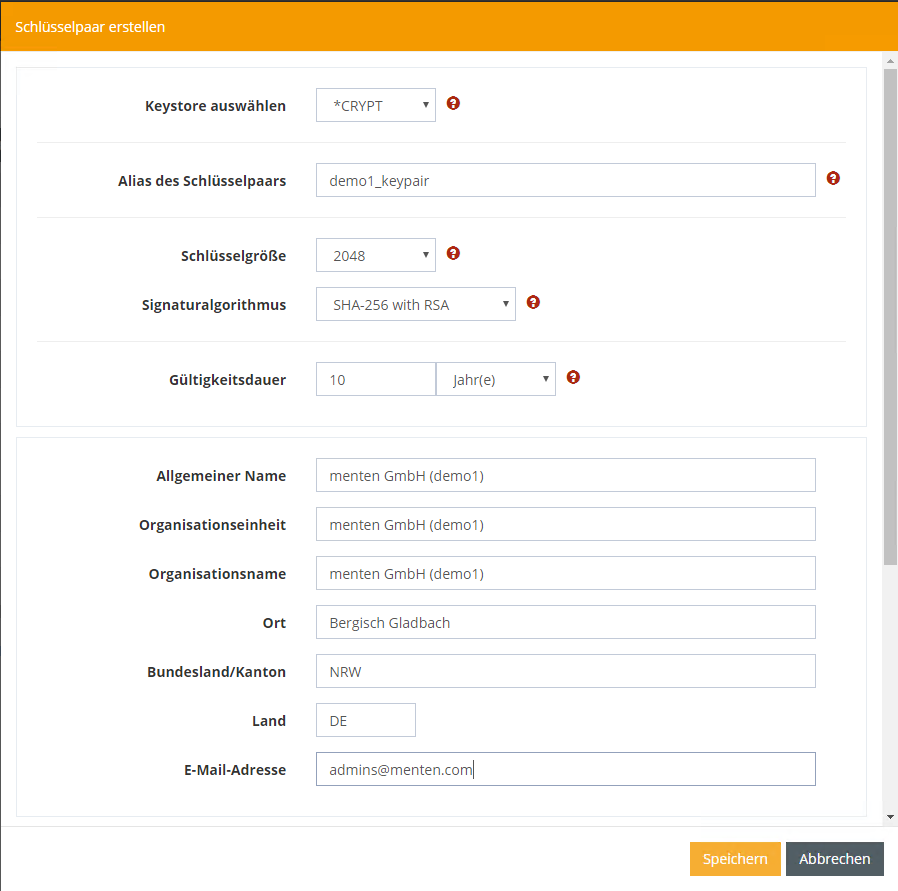
IIn the dialog select the keystore where the certificate is to be saved (*CRYPT for AS2). You can design the further details according to your wishes.
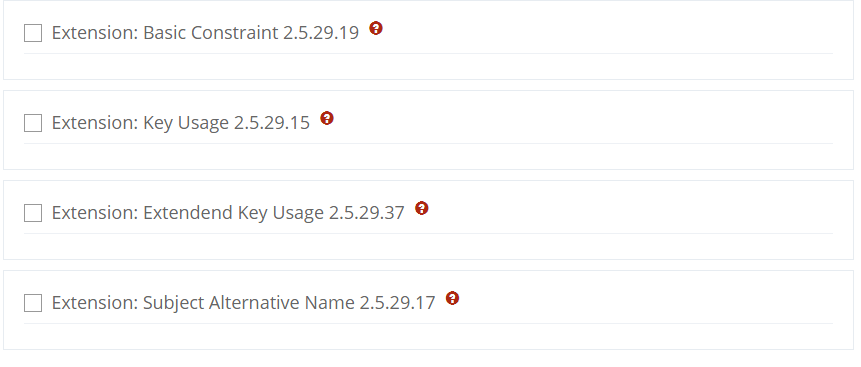
You also have the option of specifying an extension for the use of the certificate. This is usually not necessary at first.
Currently no key pairs can be imported. To import an existing key pair you have to edit the keystore with an open source tool (e.g. Portecle, KeyStoreExplorer).