
EDFEDI Subsystem
The mapper's core runs as a subsystem on the IBM Power Systems. It ties all existing licensed modules together and makes them available for mapping processes.
It also provides the connection to the GUI, which provides the directories of the modules, tasks, further information, etc.
There are basically two ways to start and end the subsystem:
-
85 from the i-effect Menu and "*EDI" starts the system or 86 and "*EDI" ends the system.
-
The subsystem can also be started from the i-effect Menu with STRSBS EFFEDI and ended with ENDSBS EFFEDI.
The RUMAP-command starts a mapping. It sends the job information to the subsystem that is required to create a mapping order.
The RUNMAP-Command in Detail
.png?cb=ae4508270f2af7b34cfb1629ace09902)
|
Parameter |
Description |
||||||||||||||||||
|---|---|---|---|---|---|---|---|---|---|---|---|---|---|---|---|---|---|---|---|
|
MAPID |
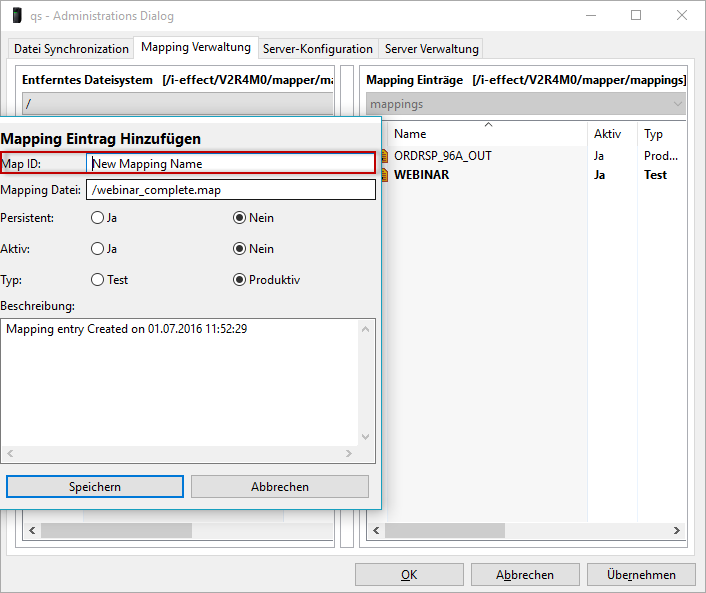
Mapping ID used during mapping that is assigned to a specific mapping definition. The default is *AUTO. Selecting an input file is required here. The mapper will automatically select the correct mapping ID based on the file contents and partner master data. A mapping ID can also be directly entered in this parameter. The mapping ID is e.g determined for overwriting a mapping in the i-effect MAPGUI.
|
||||||||||||||||||
|
FS |
Determines the file system in which the input file is stored.
|
||||||||||||||||||
|
FRMPATH only with FS = *IFS |
Specification of the path in the IFS file system from which files will be read by this command. |
||||||||||||||||||
|
FRMIFSFILE nur bei FS = *IFS |
Specification of the files from the path in FRMPATH. By using the wild cards "*" and "?" several files can be selected for processing at once.
If RUNMAP is called up without *SERVER, only one (!) file per call can be passed on.
|
||||||||||||||||||
|
FRMFILE Inputfile only with *DB2 |
Specify the DB2 input file for processing.
Furthermore, you can specify the library and the member file: For the library, you can use a library in a DB2-file system instead of *DEFAULT. For the part file, you can specify a source file member in the DB2 file system instead of *ALL. |
||||||||||||||||||
|
FILETYPE |
If input files were selected, this parameter specifies if the mapper will find the correct Module-Handler by analyzing the file contents. By directly selecting the mapping module in this parameter the time required to start the mapping process will be reduced.
|
||||||||||||||||||
|
DIRTYPE |
If input files were selected, this parameter specifies if the mapper will find the correct file definition by analyzing the file contents. The directory can be directly specified in this parameter, if desired.
|
||||||||||||||||||
|
ORIGINATOR |
If a orginator can be selected for the mapping, this parameter is used to specify the orginator. The default is: *NONE. |
||||||||||||||||||
|
RECIPIENT |
If a recipient can be selected for the mapping, this parameter is used to specify the recipient. The default is: *NONE |
||||||||||||||||||
|
TEST |
If the mapping or module supports processing of test indicator, this parameter specifies which (test or productive) mappings are processed.
|
||||||||||||||||||
|
TOPATH |
Mappings that write their output into a file system use this parameter to identify the name of the output path.
|
||||||||||||||||||
|
ERRPATH |
An alternate path can be specified for input or output files that cannot be processed. Erroneous files will be moved to this directory or, if possi-ble, will be written there in their output file structure for future analysis. Default is the directory error within the MAPPER module directory. |
||||||||||||||||||
|
ARCPATH |
Processed input and output files can be archived. This parameter specifies the archive path. Default is the directory archive within the MAPPER module directory. Please note that this parameter is not intended for output files. For this, use the command "Target path for Copy / Move" in the data selection 12 in the server task.
|
||||||||||||||||||
|
EFFSERVER |
It is possible, with i-effect, to remotely call up certain tasks from other IBM System i in the network. It is also possible to call up this command remotely. The sever on which i-effect is installed and licensed must be specified in this case. The parameter consists of three elements. To display the parameters please press F9 to show other commands.
|