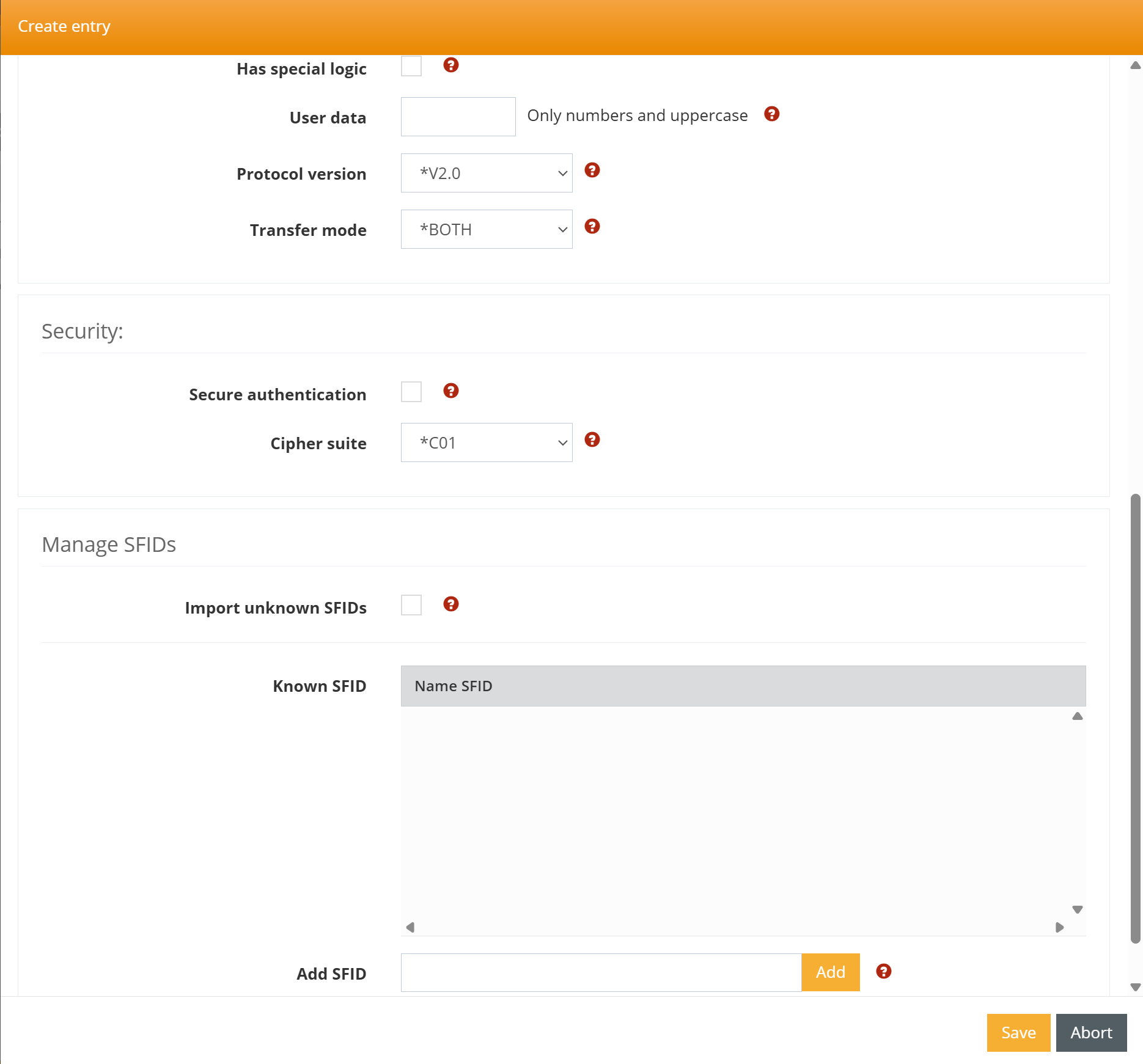
To create an OFTP client profile, please proceed as follows:
Create a new communication profile
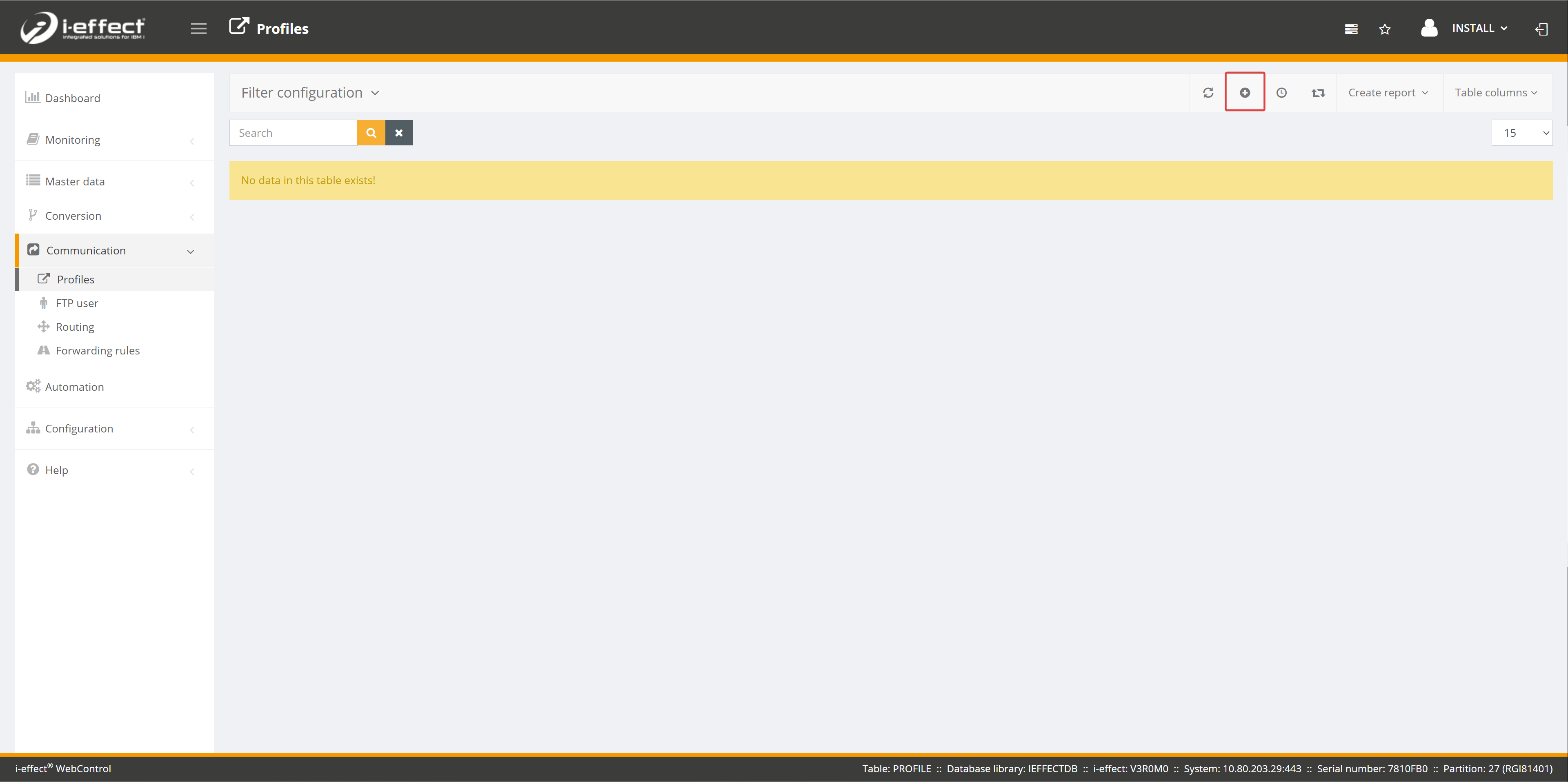
Open the Communication menu item and navigate to the Profiles page. Now click on the plus sign to create a new communication profile.
Fill in the mask
This time, select *SEND as the direction, as this is a client profile. For Module, select OFTP2.
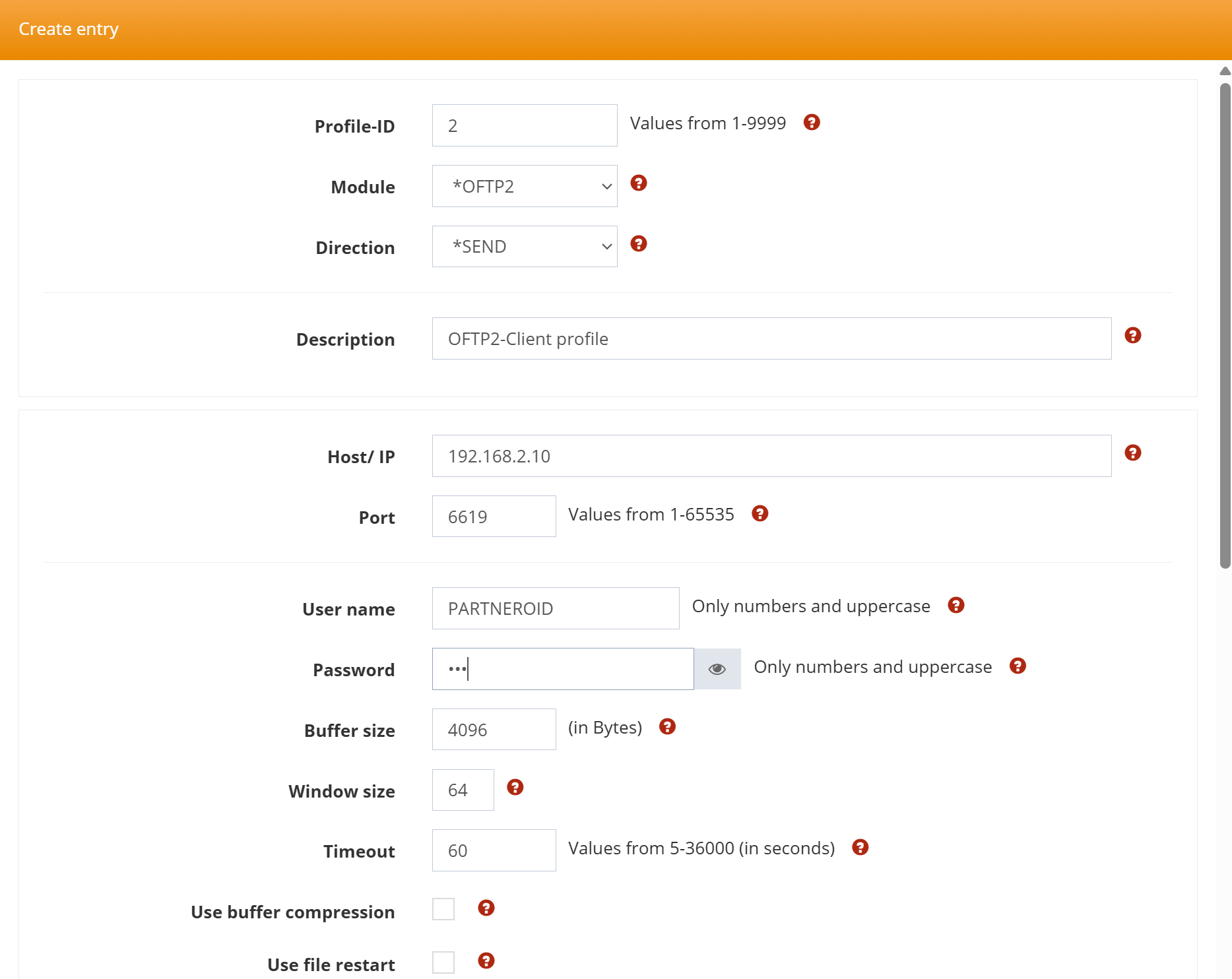
Please note that the user name and password are the details that your partner has provided to you. Apart from the hostname and IP address, you can leave all other values unchanged.