-
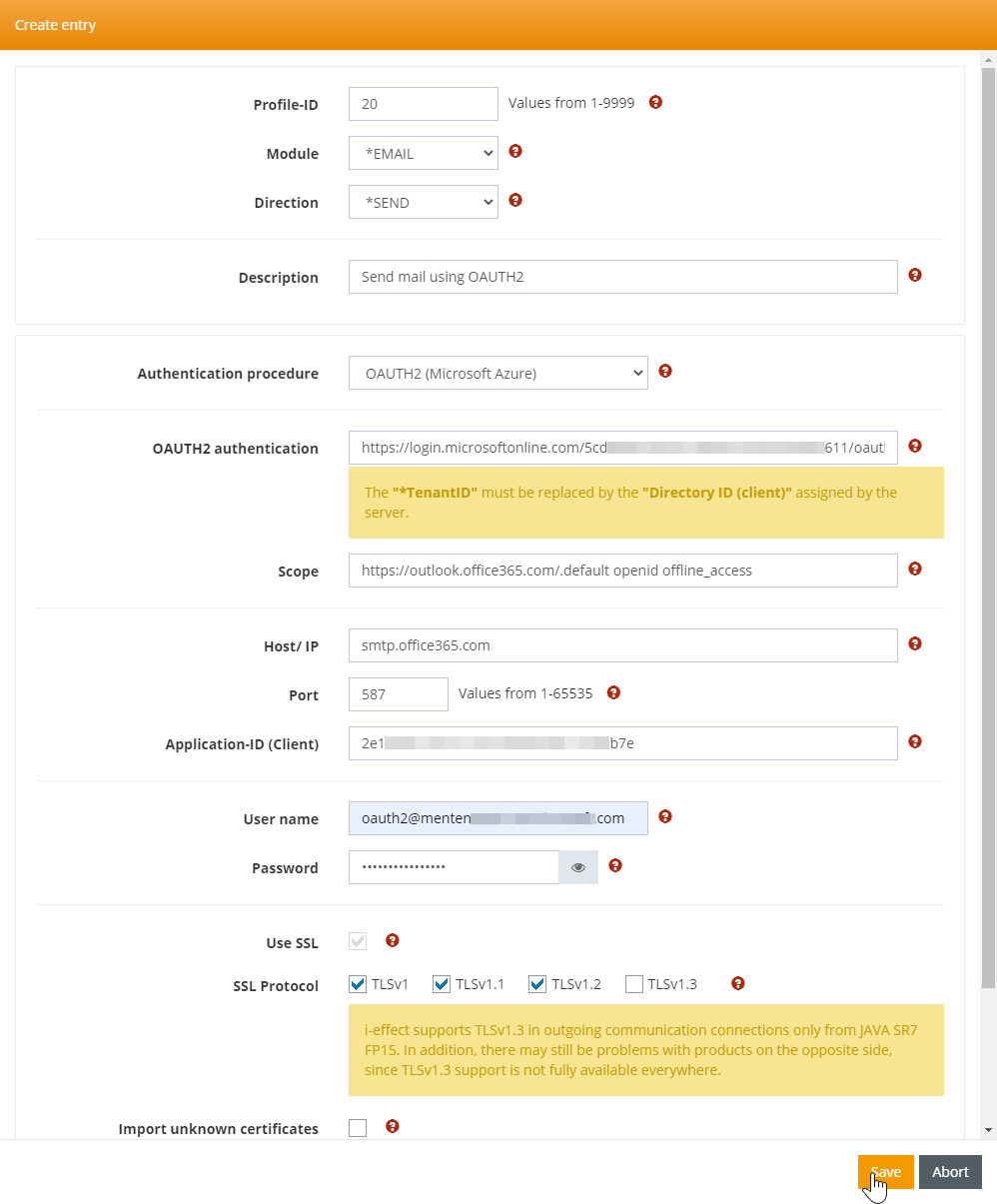
Create a new Profile in WebControl under "Comunication".
-
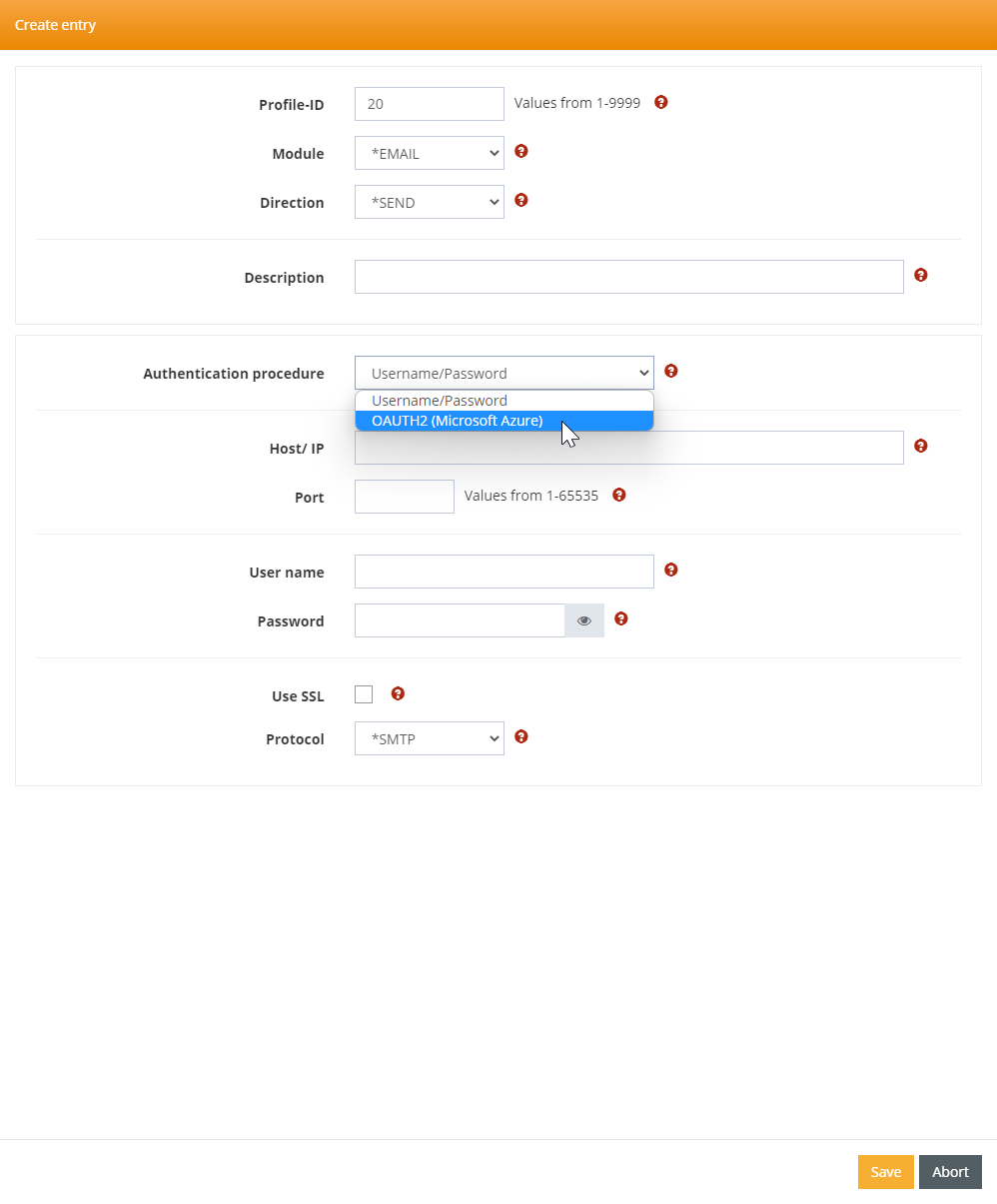
Set the "Authentication procedure" to "OAUTH2 (Microsoft Azure)".
-
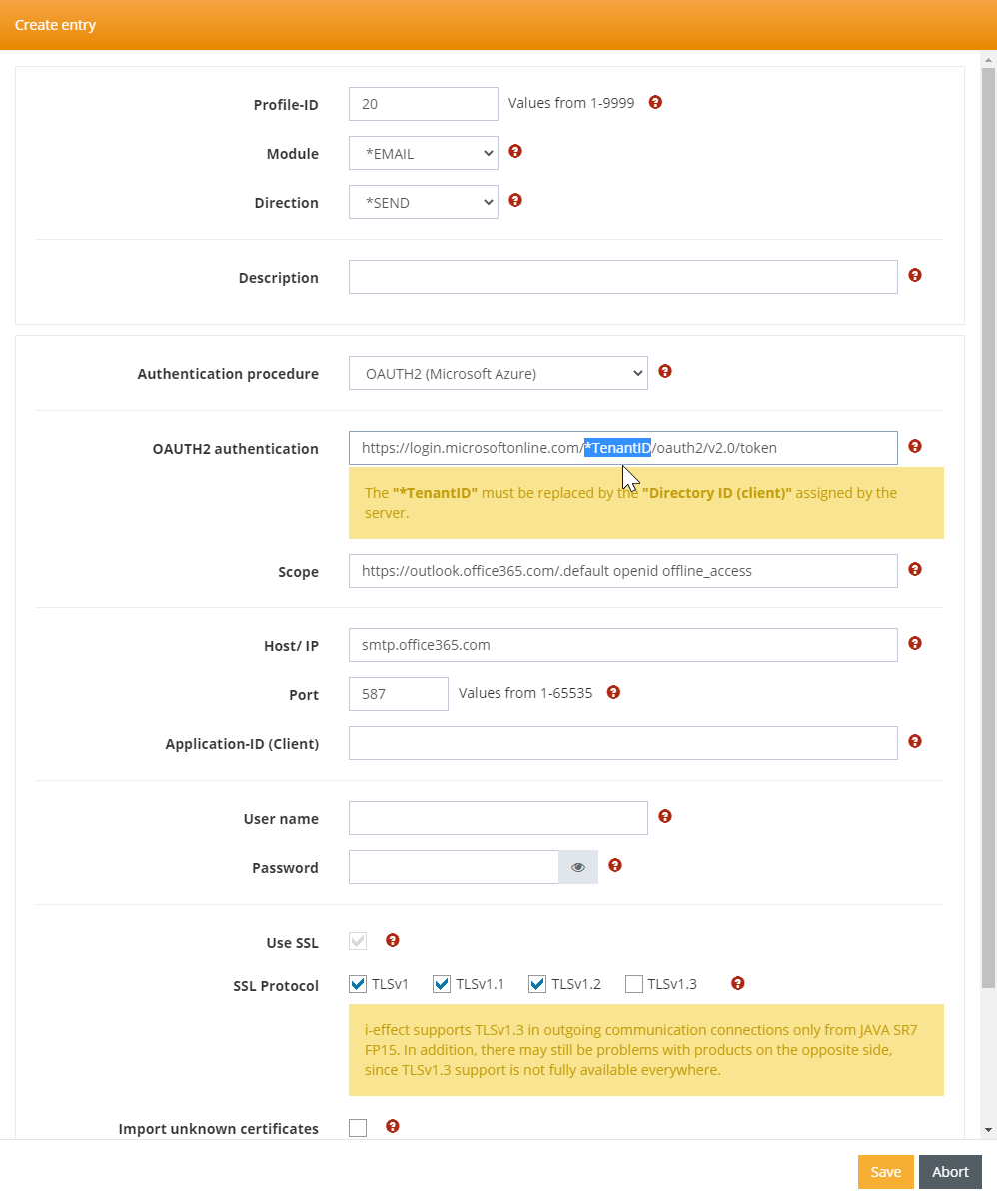
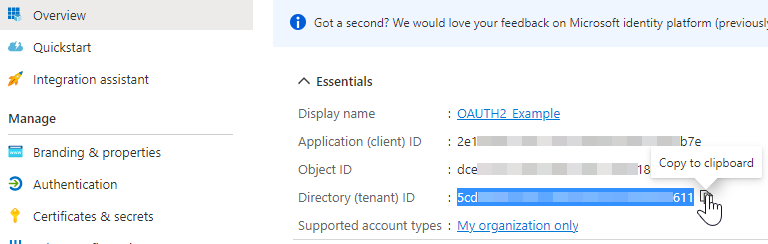
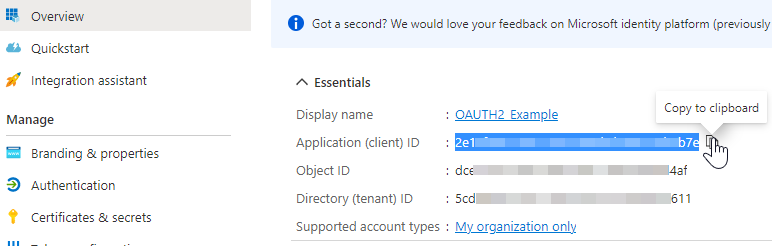
Replace "*TenantID" with the "Directory (tenant) ID" of the app you want to use.
-
Fill the "Application-ID (Client)" field with the "Application (Client) ID" value.
-
Fill remaining fields and save.
-
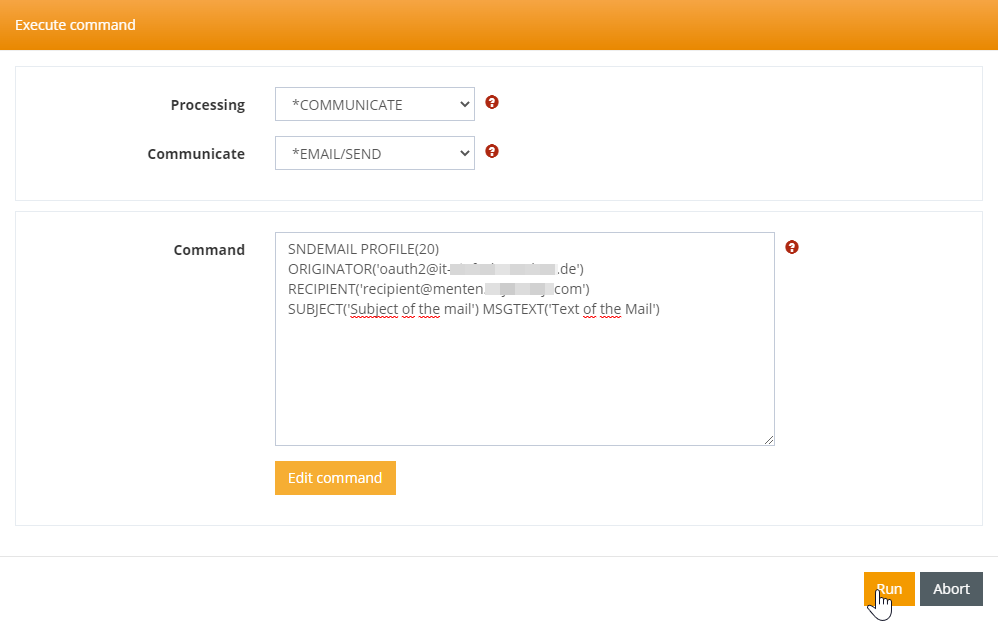
Use the created profile (send mail)