
XRECHNUNG Tutorial 1, Creating an XRECHNUNG XML
In order for i-effect to automatically create XRECHNUNG files, a new workflow must be set up in the *SERVER automation module.

The prerequisite is that the mappings and XML schema definitions have been installed on the system. These are not included in the standard scope of delivery.
When you purchase the XRECHNUNG licence module, you will receive these mappings together with the necessary XSD files, or they will already have been installed on the system as part of a service you have commissioned.
Step 1: Create a job
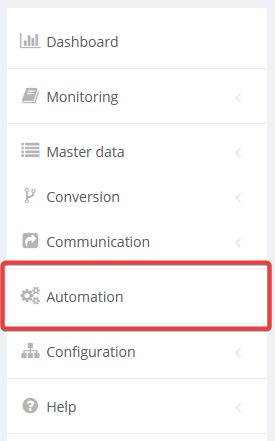
Select Automation from the main menu.
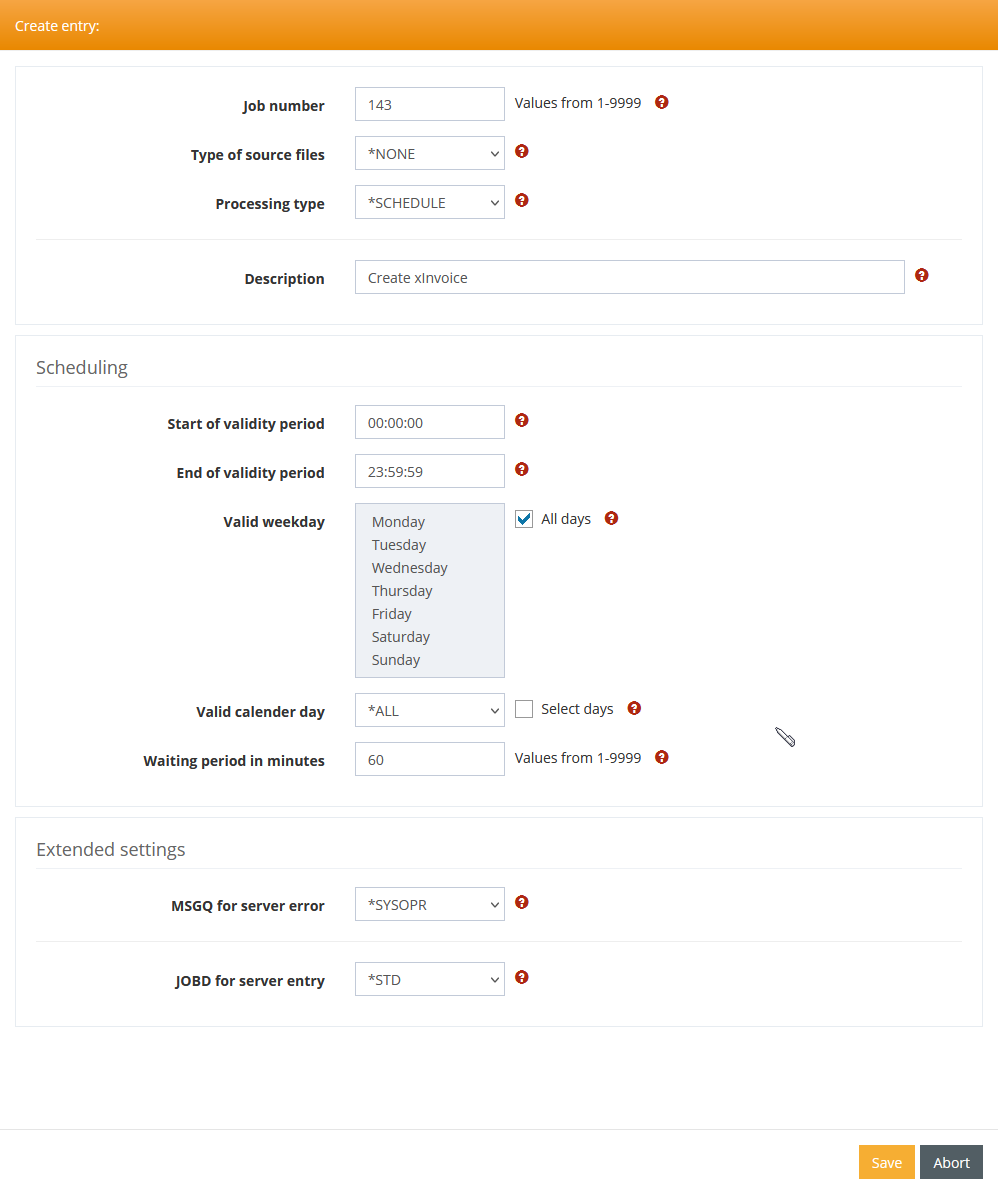
To create a new job, click on the plus sign in the "Filter settings" line.

In the following window, you can define, for example, a time-controlled job that is to be executed every 60 minutes.
Step 2: Define processing
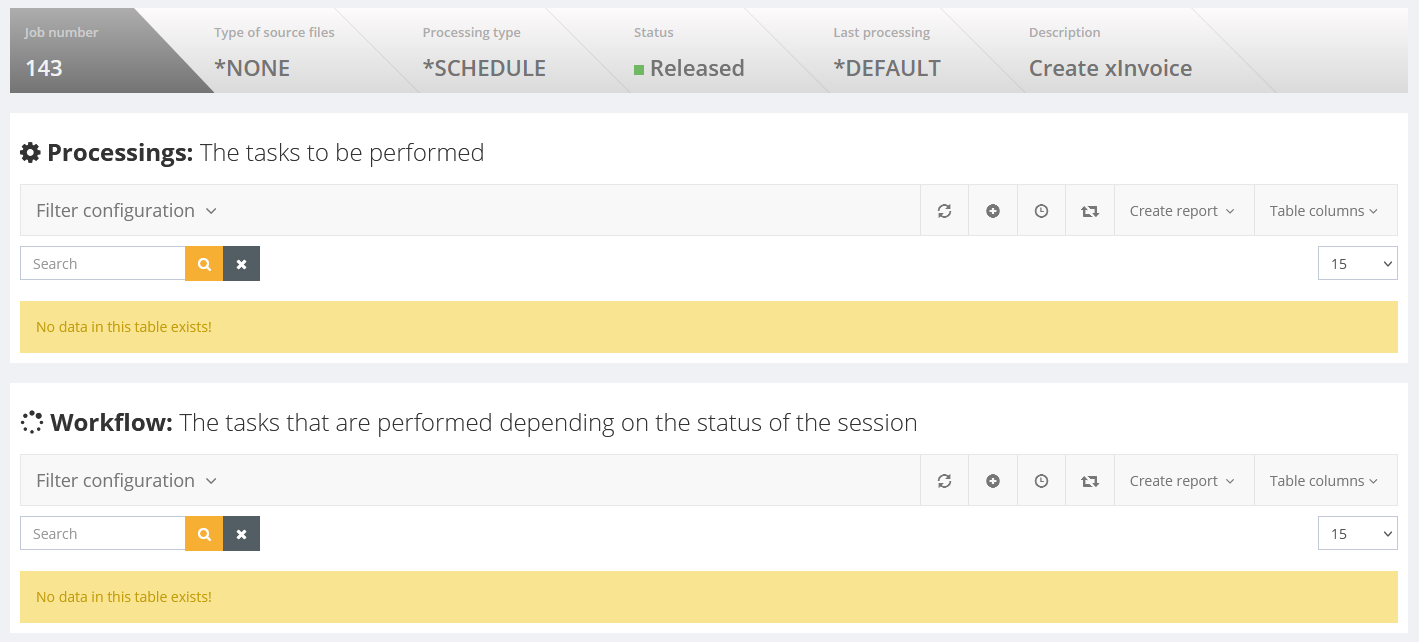
Clicking Save in the previous dialogue box opens the following window. Click on the + sign here to define a new processing step.
The parameters in the processing step are filled as follows. If necessary, use the Capture Command button to obtain input help for the RUNMAP command.
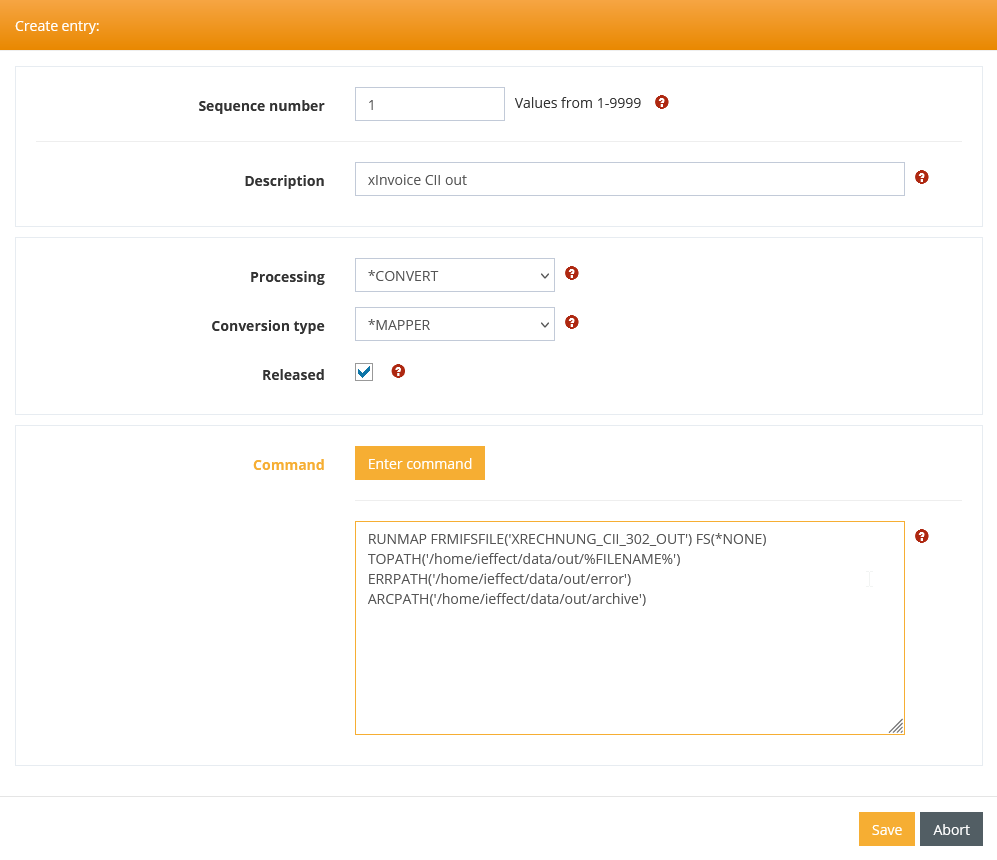
The parameters of the RUNMAP command have the following meanings
Parameter | Value |
|---|---|
MAPID | The mapping ID is assigned when the mappings are imported. By default, it corresponds to the file name of the imported mapping. The following are currently available for XRECHNUNG: |
TOPATH | The desired output path for saving the finished XRECHNUNG file. If %FILENAME% is used, an automatically generated name will be used to create the file. |
ERRPATH | The name of a directory in which incorrect data is to be stored. If, when checking the final file against the schema or the underlying business rules, it is detected that the generated file is invalid, it is moved to the directory specified here. |
ARCPATH | A successfully created file is archived in this directory. |