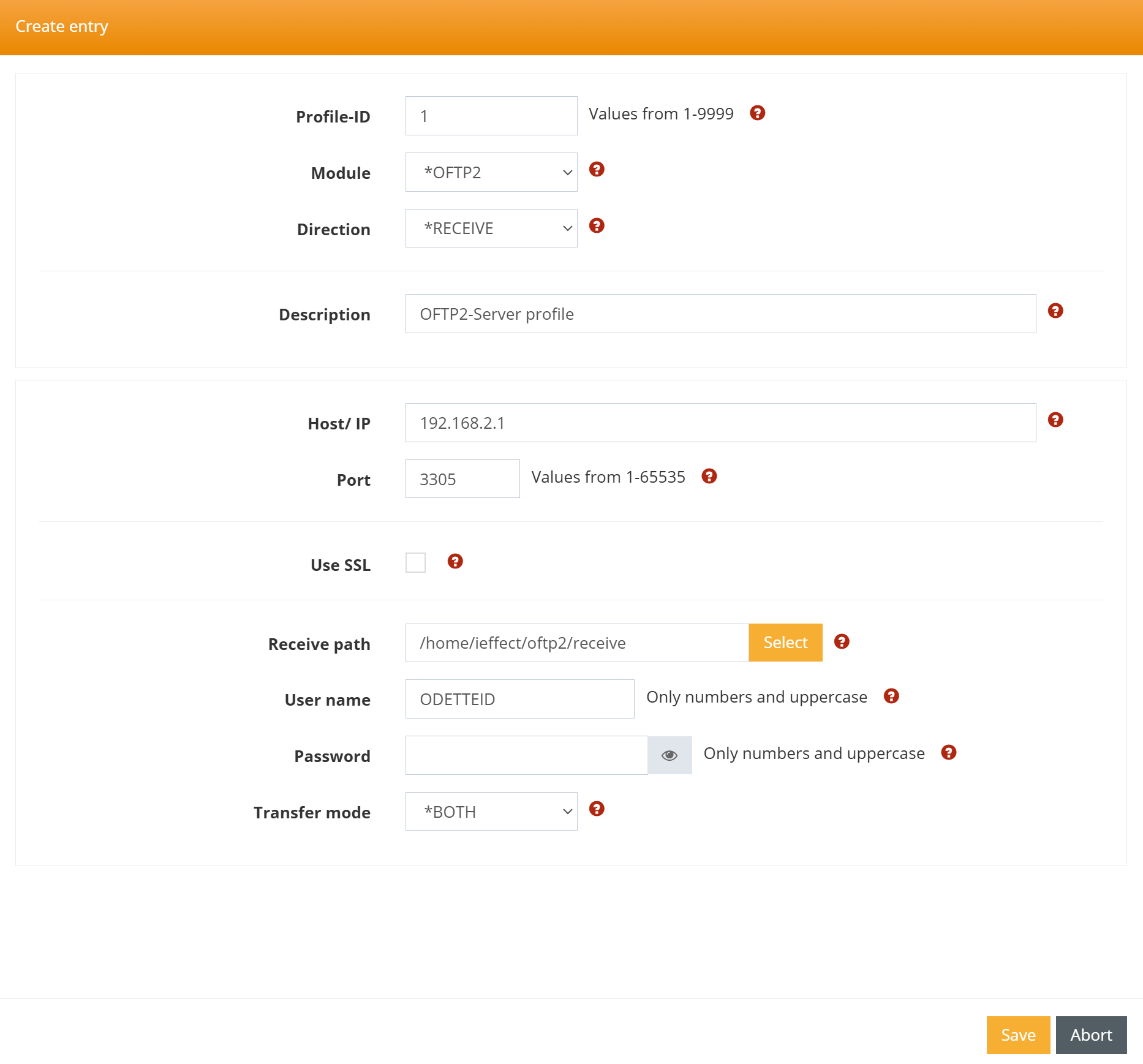
Creating an OFTP2 Server Profile
Step 1 – Create server profile
The first step is to create a separate server profile for receiving data. To do this, please proceed as follows:
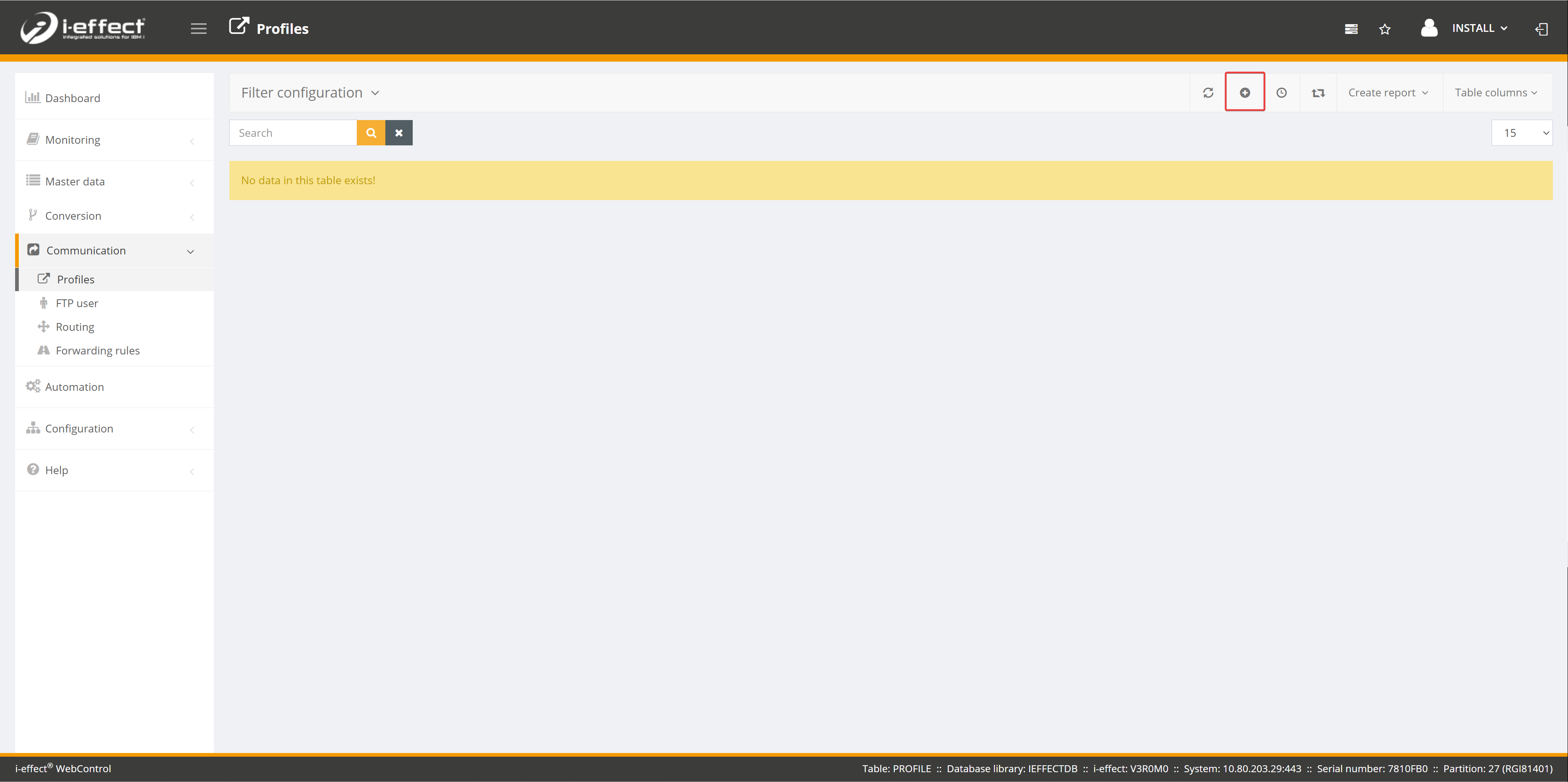
Create new communication profile
Open the Communication menu item and navigate to the Profiles page. Now click on the plus sign to create a new communication profile.
Fill in the form
Fill in the form with your details. Please note that you must select the following options:
Module: *OFTP2
Direction: *RECEIVE
Please select the remaining configuration settings yourself. Make sure that you use a free, unused port and do not use a local address for Host/IP. Please make a note of your user name and password, as you will need to pass this information on to your partner.